
How I ended up rendering unlimited Gaussian splats in Unreal
Previously, on OKO…
The year was 2024, the industry continued to fall ever more deeply in love with Gaussian splats, and Magnopus was no exception. For spatial computing platforms, such as OKO, Gaussian splats were a wonderful low-friction solution for the capture and creation of high-fidelity digital copies of real-world locations.
Given OKO’s cross-platform interoperable nature, supporting the format required a splat renderer for Unity, Web, and, of course, Unreal.
For Unreal, we needed a solution that we could ship in the OKO Unreal plugin, one that would ‘just work’ and be plug-and-play for users integrating OKO into their Unreal projects. After exploring the market for already-available solutions, we found that (at the time) none were mature enough for our needs, and so we took it upon ourselves to build a best-in-class Niagara-based solution.
Niagara was a great conceptual fit for Gaussian splats. After all, at the end of the day, what was a splat but another word for a stationary particle with some fancy rendering? Since Niagara is specifically designed for rendering particles in a user-controlled way; offers out-of-the-box camera-distance sorting and does it all fast (by offering more-or-less full-GPU-side execution), it seemed perfect.
Since those heady days, however, splat counts per-asset have continued to rise up and up, to the point where we were finding ourselves unable to render the assets via our Niagara-based solution (it’s not unusual these days to encounter assets with ten million splats). We started finding upper bounds to the maximum number of splats we could render via Niagara without requiring the user to make changes to their projects. We were capping out at around two million.
Meanwhile, 4DGS was also emerging as a truly interesting alternative solution to volumetric video captures. Our Niagara solution didn’t support it, and as flexible as Niagara was, the far larger dataset 4DGS required – coupled with the upper bounds we were already hitting with 3DGS – implied that our implementation would struggle here too. So I started exploring alternatives.
Which is how I ended up implementing a non-Niagara-based Gaussian splat renderer in Unreal. I didn’t get as far as supporting 4DGS, but the result is arguably the fastest splat renderer for Unreal available on the market today. You can find it here.
Here’s the plugin rendering ~7 million splats at 60fps.
I operated under these constraints:
No enforced upper bounds on splat counts.
Be portable (because it’s part of the OKO Unreal plugin, which should work out-of-the-box for any Unreal project).
Be as good as or faster than the Niagara implementation (because if we’re making something specifically designed for the rendering of splats, then it should be faster).
As robust as the Niagara implementation, as easy to understand and maintain.
It really started with the observation that ultimately, rendering a set of Gaussian splats is the act of rendering the same mesh over and over, where each has a specific set of attributes (position, rotation, scale, spherical harmonics coefficients, and opacity). Which, from a graphics programming perspective, is best done via instanced rendering, where we issue one draw call for all splats, provide the GPU with the data it needs per instance, and then let it go to town.
The idea was that we could build our own little splat instanced-rendering code path in Unreal, via the OKO Unreal plugin.
To compute or not to compute
Initially, I had dreams of an entirely separate compute-based rendering pipeline for custom Gaussian splat rendering. Something that happened before the main event of the frame, after which Unreal’s normal render pipeline would take over, and then we’d composite the rendered splats on top.
I was quickly disabused of this, though, once I thought about the need for rendered splats to sort correctly. Not with themselves per se (although that requirement would bite me later), just with other geometry rendered during the translucency pass, and also opaques. Since splats are all technically translucent, generating some kind of composite mask to stitch them back into the frame felt like it would be expensive to generate, produce artifacts, and be a nightmare to build.
Conversely, rendering with scene proxies, static meshes and materials is just a lot more normal for Unreal; they’re the building blocks for almost every Unreal-rendered frame. They’re all designed to be part of the standard Unreal rendering pipeline, and so ensuring splats would be sorted and rendered coherently with the rest of the frame would likely be a non-issue if I took that path.
So that’s how I ended up choosing a scene proxy, mesh and material-based approach.
The scene proxy
In Unreal, for any component with some kind of visual aspect to it, there will be a corresponding scene proxy. Scene proxies are the render-thread representation of a component which exists on the game thread, and it’s where the high-level rendering business logic lives (how many draws, what material to use, what mesh, and so on).
Just as our OKO Niagara implementation creates a Niagara component with a Niagara scene proxy, so too must our OKO Gaussian splat component have its own kind of scene proxy.
The Gaussian splat scene proxy was to have the following responsibilities:
- Represent the OKO Gaussian Splat component on the render thread.
- Issue a single instanced-draw command for the entire set of splats via
GetDynamicMeshElements(which is called once per frame). - Render all instances using a project-config defined mesh and material.

An early test exploring how many splats we could potentially render via a bespoke instanced-splat-renderer implementation.
Early implementations were pretty encouraging. It wasn’t very hard to write a custom scene proxy that issued an instanced draw call for N splats with the right positions, and we could get a sense of what performance would be like by rendering the same N splats hundreds of times to see how it might scale.
Bolstered by the results, and with perhaps a touch of hubris, I turned my attention to how we could sample the rest of each splat’s attributes into account, to render them correctly.
A note on instanced rendering and custom instance data
So, having committed to an instanced-draw approach in scene proxies using a single static mesh and material, the problem to solve became how I could possibly sample the rest of the splat attributes in a material.
Using the material-based approach solved the problem of making sure the splats got rendered at the right time in the frame, and would be occluded correctly, but the standard material in Unreal isn’t really designed to accept bespoke buffers of other data.
One option here was to store the attributes as texture data, and then sample from those textures in the material. Honestly, I think that might have been the better choice, particularly since the advent of the .sog format (which does exactly this), as it’s more amenable to the idea of streaming splats from the cloud, which’ll need to become a thing if they continue to rise in count.
But that’s not what I chose. Instead, I took a leaf out of Unreal’s instanced mesh component’s book and turned towards custom instance data.
InstanceSceneDataBuffers API).
The nice thing about this approach was that, in terms of accessing the data from the material, Unreal does provide an easy-to-use interface for accessing custom instance data, and so it became relatively easy to retrieve it when rendering each instance.
The material
Now I was off to the races. Armed with a proxy and mesh, a material that could access all splat attributes and a bag of dreams, I set about reimplementing the Gaussian splat GPU-side implementation we had already built with Niagara in a normal Unreal material.

First up was implementing SH0 coefficients (which can also be expressed as the splat’s Albedo). They’re just a constant color, really, at the end of the day. So as you might expect, that wasn’t very hard.
Next came the vertex shader logic, handling splat rotations and scale. That was harder, but having a working reference implementation with Niagara really helped.
It’s also worth noting here that while I was all gung-ho about all the advantages of an instance-rendering implementation over Niagara, there were also some things that Niagara did out of the box that required re-engineering in the material.
One in particular was billboarding. Splats are always expected to billboard, such that the mesh is facing the camera directly (or rather, the normal for the plane we’re rendering the mesh on is the negative view direction).
All sorts of other transformation problems, but billboarding’s working!
So I ended up implementing a manual vertex transformation step in the material to billboard the splat mesh, once the main Gaussian splat transformation algorithm had been computed.
I think I made a mistake…
As you can see, getting the transforms just right was fiddly – it’s the hardest part of the Gaussian splat algorithm to grok for sure. I made more mistakes along the way here than I care to admit, but being able to pare things back to just a single splat rendered side-by-side with the Niagara implementation, viewed in wireframe mode, often pointed me in the right direction.
Paring back to a single splat to compare transformation results was a super effective way to validate.
Once I had a single isolated splat transforming in the same way it did in Niagara, I knew I had it figured out.
But it was about this time, to my eternal shame, that I realized I’d forgotten a fundamental aspect of Gaussian splat rendering. They’re expected to be sorted by camera distance, every frame.

Instanced splat transforms are correct. But something doesn’t look right…
In the image above, you can see how much brighter the dinosaur looks. That’s because, after having that realization (that splats of course need sorting), with no plan how to solve it, I quickly took the coward's way out and made the material additive to get a semi-reasonable frame. But sorting and translucency are hard requirements; without them, you end up with artifacts like this…
A DiNOsaur
Not quite sorted
I was pretty worried at this point. With the splat instance data all held GPU-side in Unreal’s GPU scene (which is essentially opaque across the engine/plugin divide), and with no easy means to invoke a sort of all instances, I wasn’t sure what to do. It wasn’t a problem for the Niagara implementation, which exposes particle sorting options right in the editor UI, but no such thing exists (understandably) in the Unreal Primitive domain.
Sorting on the CPU was obviously out of the question. The splats have to be sorted each frame, depending on where the viewer is. Re-uploading sorted splats each frame would be crazy; the desire to support millions of splats implies it has to be done GPU side, as it’s an embarrassingly parallel problem.
So somehow, I needed to invoke a GPU sort of all splats, weave it into Unreal’s Primitive rendering pipeline, and write the results back to the GPU scene, which isn’t directly accessible across the plugin boundary.
FGPUSortManager, and that it was responsible for the distance sorting features that Niagara includes. I also figured that Niagara would have solved a similar problem, as it too would have a need to invoke sorts for an emitter each frame before uploading the results to the GPU scene.
So I dove in to see what I could find.
FGPUSortManager. It’s not documented anywhere online, but the inline comments in the header are good. That, combined with a working reference in Niagara was enough to (re)deduce how to use it.
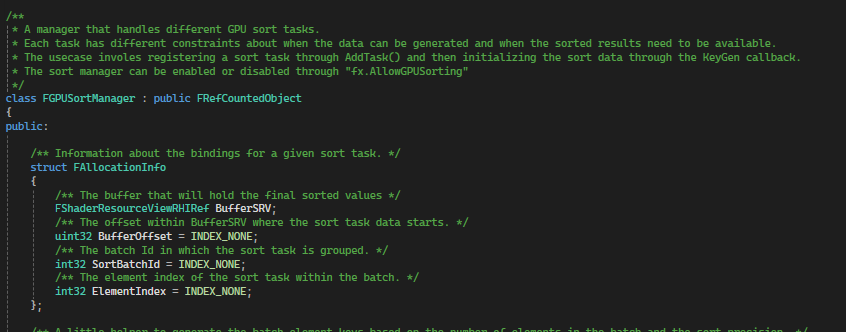
FGPUSortManager – The hero of this tale
- Register your key generation delegate with the sort manager. That’s going to be where you populate the sort manager’s buffers with your sort keys and values.
- To invoke a sort, call
FGPUSortManager::AddTask, providing the sort options you need via the sort flags (like whether to run the sort afterPreRender, or after drawing all opaques), and the number of items to sort. That’ll arrange the sort task for you. - And finally, consume the results. Depending on where in the frame you asked for the sort to happen in 2, bind to the
PostPreRenderEventorPostPostRenderEventand use the contents of the sorted buffers.
Enter
FScene::UpdatePrimitiveInstancesFromCompute.
FScene (possibly added in service of the procedural content generation features that started to come in a few minor releases back?). It allows the caller to provide a callback from which they can invoke a compute-shader-write to the GPU scene.
The callback gets invoked before the frame even starts, giving the plugin an opportunity to permute the GPU scene before any rendering happens.
The function is also marked as experimental, and says this in the experimental macro…
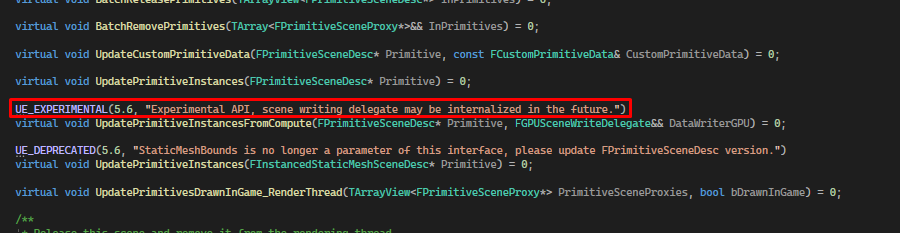
I sure hope that doesn’t happen.😟
The entire solution hinges on this guy, so hopefully it won’t be internalized for a while, at least. I imagine it’d be tricky to do so, given the Niagara and PCG implementations already depend on it.
But anyway. While there’s sunshine, make hay. With the GPU sort manager understood and a means to write the sorted instance data to the GPU scene, I had everything I needed and began to implement.
This is how the algorithm ended up:
For each frame:
- Call
UpdatePrimitiveInstancesFromComputeonce per frame.- Which enqueues our lambda, to be executed at the very start of the next frame.
- When the lambda is invoked, we use a compute shader to write back all the splats, which were sorted in the last frame, to the GPU Scene.
- Later that frame, after the
PreRenderphase, we generate sort keys for the splats using the distance from the camera.- This is where we use
FGPUSortManager(specifically the singleton owned by the current world’s FX System Interface). - While our sort keygen compute shader is running, since we’re already iterating through each splat, we take the opportunity to also do splat culling.
- This is where we use
- Immediately after running sort key generation, still in
PreRender, we run the actual GPU sort.- Again, relying on
FGPUSortManager, we let it do the heavy lifting and run its radix sort, using the keys we provided for the current frame. - This is the sorted data we’ll write to the GPU scene next frame (via step 1).
- Again, relying on
- Much later, as part of the normal scene proxy rendering pipeline for translucents, we run a single instanced draw call for each Gaussian splat component in the world.
- Which uses the sorted splat data for the last frame, which we wrote to the GPU Scene during step 1.
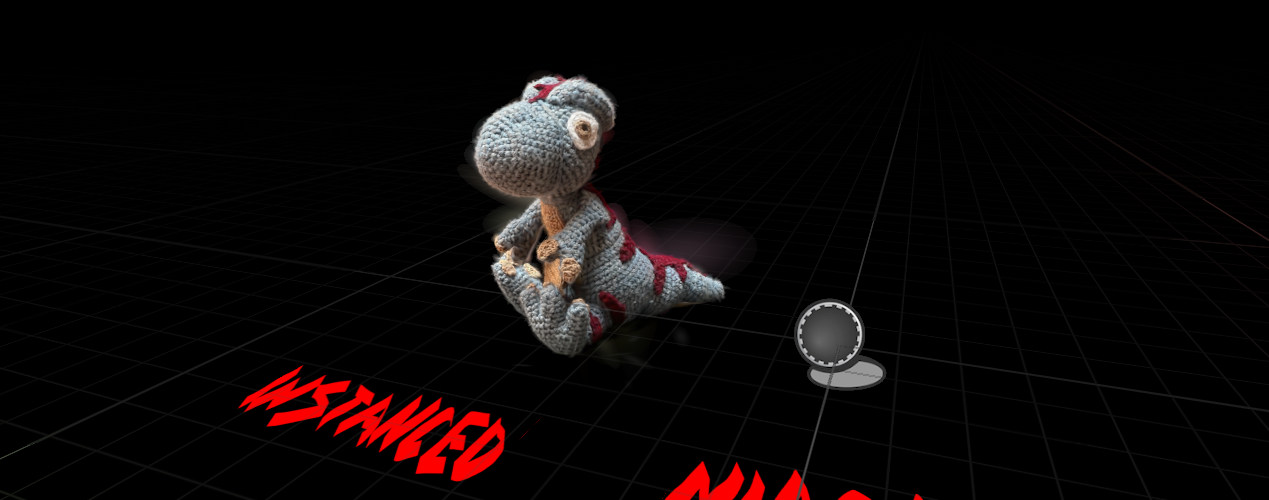
Glad that’s finally sorted out.
Which worked! With caveats. Which brings me to the most computationally expensive part of this tale.
You may have guessed, but writing all splats to a buffer, per-frame, especially for large numbers of splats, is super expensive. It also implies having two buffers containing all splat data (which means we’re really occupying twice the memory we need) – one for sorting and then again with the actual primitive data used during rendering in the GPU Scene.
Even worse, both of these time and space costs scale as the number of splats being rendered increases.
In an ideal world, we shouldn’t even need to do it at all; it’s theoretically possible to sort the data in-place in the GPU Scene, but to do that would require engine changes. Since the goal is for this to be plug and play for any project, that's not an option. Ah well. Such is life.
Memory
So, given the plugin-only constraint, I decided to assume I was now using the API the best way I could to achieve my Niagaraless dream (if someone reading this is facepalming about now [because there’s clearly a better way] – get in touch!)
Assuming that the sort-buffer-to-GPU-scene per-frame copy was a necessary evil, I figured the one thing I could still do to speed things up would be to reduce the size of a given splat. Smaller splats mean less data to copy. Less data to copy means faster copies!
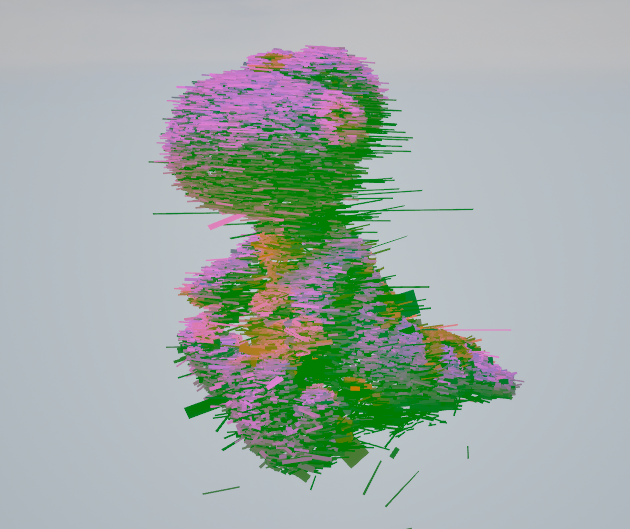
One of my less successful attempts at packing.
I went through about eleven different iterations with my splat packing adventures. I won’t bore you with the details of each (let’s just say friends don’t let friends pack splat scales into bytes). I had started with a simple, naive 32-bit float per-attribute approach, so there was lots of fat to trim. Here’s what I ended up with:
// is packed in a single float4. The packing strategy is as follows:
//
//---------- Float 1 ----------
// half - Orientation X
// half - Orientation Y
//---------- Float 2 ----------
// half - Orientation Z
// half - Scale X
//---------- Float 3 ----------
// half - Scale Y
// half - Scale Z
//---------- Float 4 ----------
// byte - Opacity
// byte - SH 0 (normalized)
// byte - SH 1 (normalized)
// byte - SH 2 (normalized)
PF_A32B32G32R32F buffer at the moment. I should probably get around to looking at that.
Nevertheless, I’m pretty pleased with this packing strategy. I had taken what was previously nine 32 bit floating point values and compressed it all down to just four – that’s just over 55% saved on memory for each splat! Plus, it was now
float4 aligned, which is just always a good idea in graphics programming.
Fun trivia – you might notice the W component of the orientation quaternion is missing. I got inspired by the PlayCanvas implementation, where they rely on the unit quaternion identity
x^2 + y^2 + z^2 + w^2 = 1, meaning as long as we normalize our quaternions, we can just re-derive W in the material. The ALU trade for the buffer I/O we’d otherwise be performing is definitely worth it.
Reducing everything down like this really did have a big effect on performance. Given the bottleneck was the per-frame copying of splats from sort buffers to GPU scene, the reduction in memory led to a roughly linear correspondence in performance improvement. Rendering a frame’s worth of splats was now roughly twice as fast!
All together now
So we’re nearly at the end of my tale of misadventures with instanced Gaussian splat rendering in Unreal. I ran out of time to truly dive into the exciting world of 4DGS, but I’m very happy with where this iteration ended up. What exists now in the OKO Unreal plugin is one of the fastest splat renderers available on the market.
Given the speed with which the industry is advancing the tech, I do wonder how long that title will last, though.
My guess is not long. There’s lots of opportunity for rendering faster. This implementation has no notion of LODs, for instance, and there are some really interesting things happening with LODS for Gaussian splats at the moment. Some people are experimenting with Nanite-style splat rendering. Others are exploring streamed splat LODs. Others have explored applying more traditional LOD concepts to splats.
Meanwhile, here are some more pretty things to look at (and stats, of course) to give you an idea of where we’re at. In case you’re wondering, these were captured on a machine with a Laptop 4090.
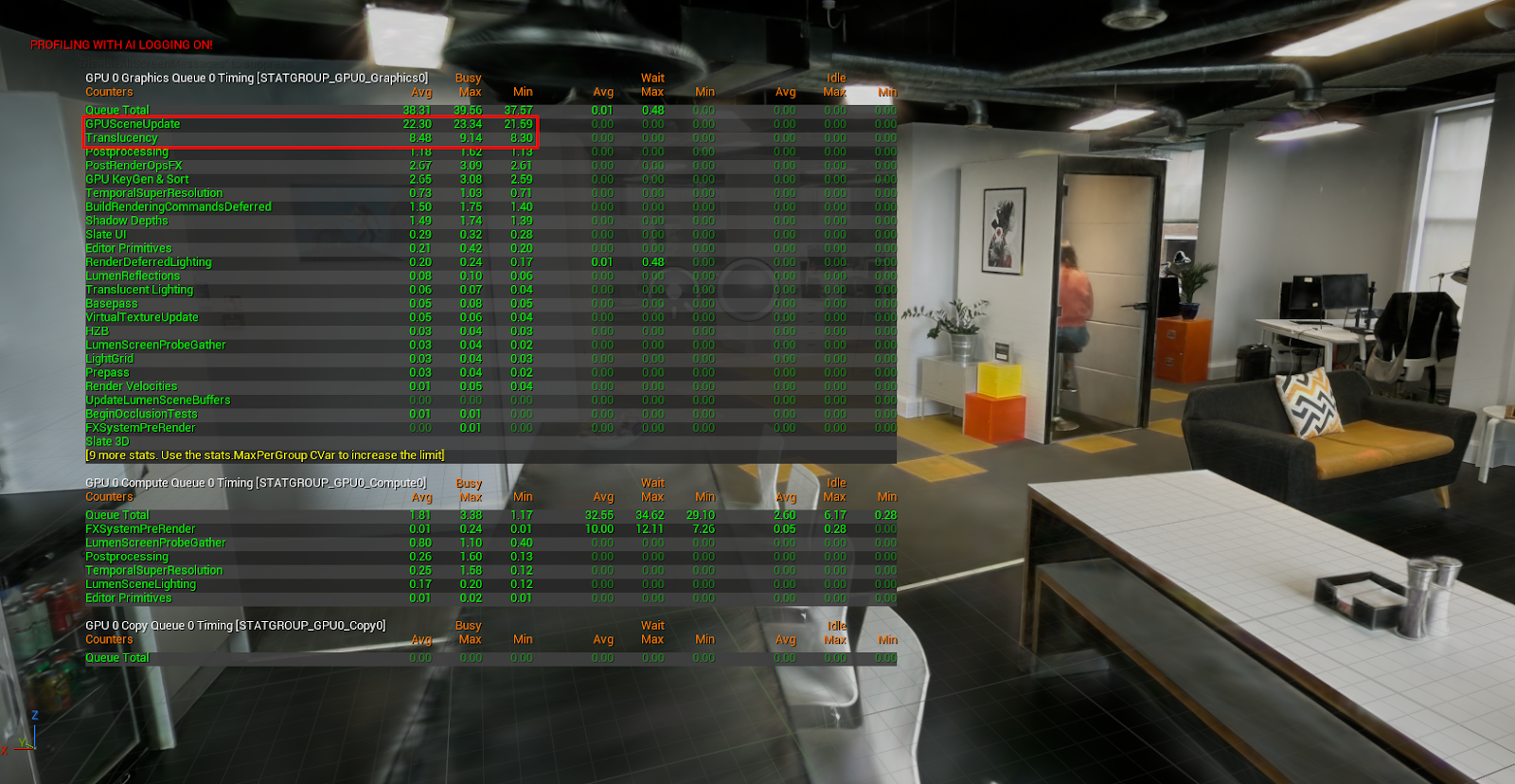
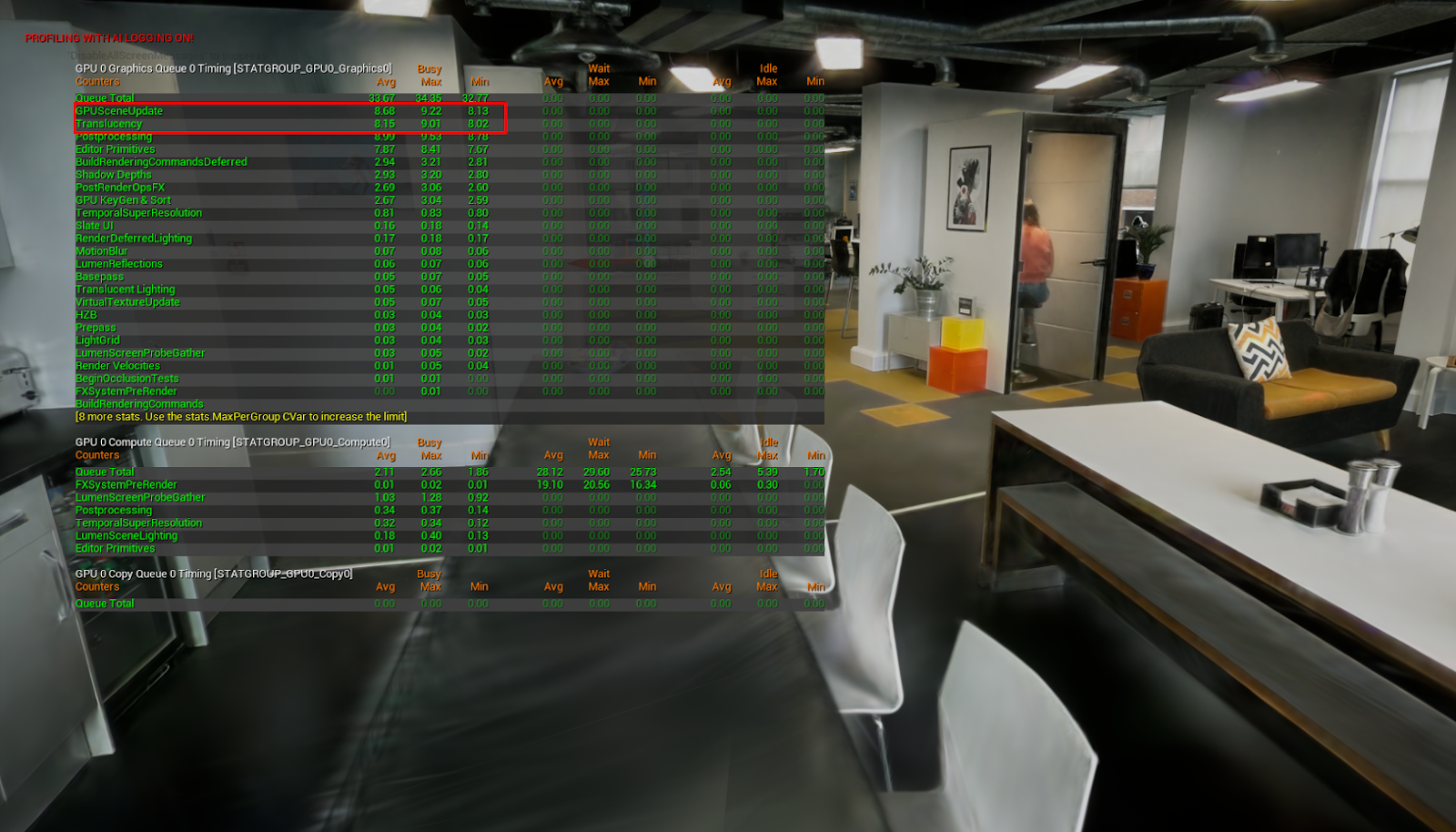
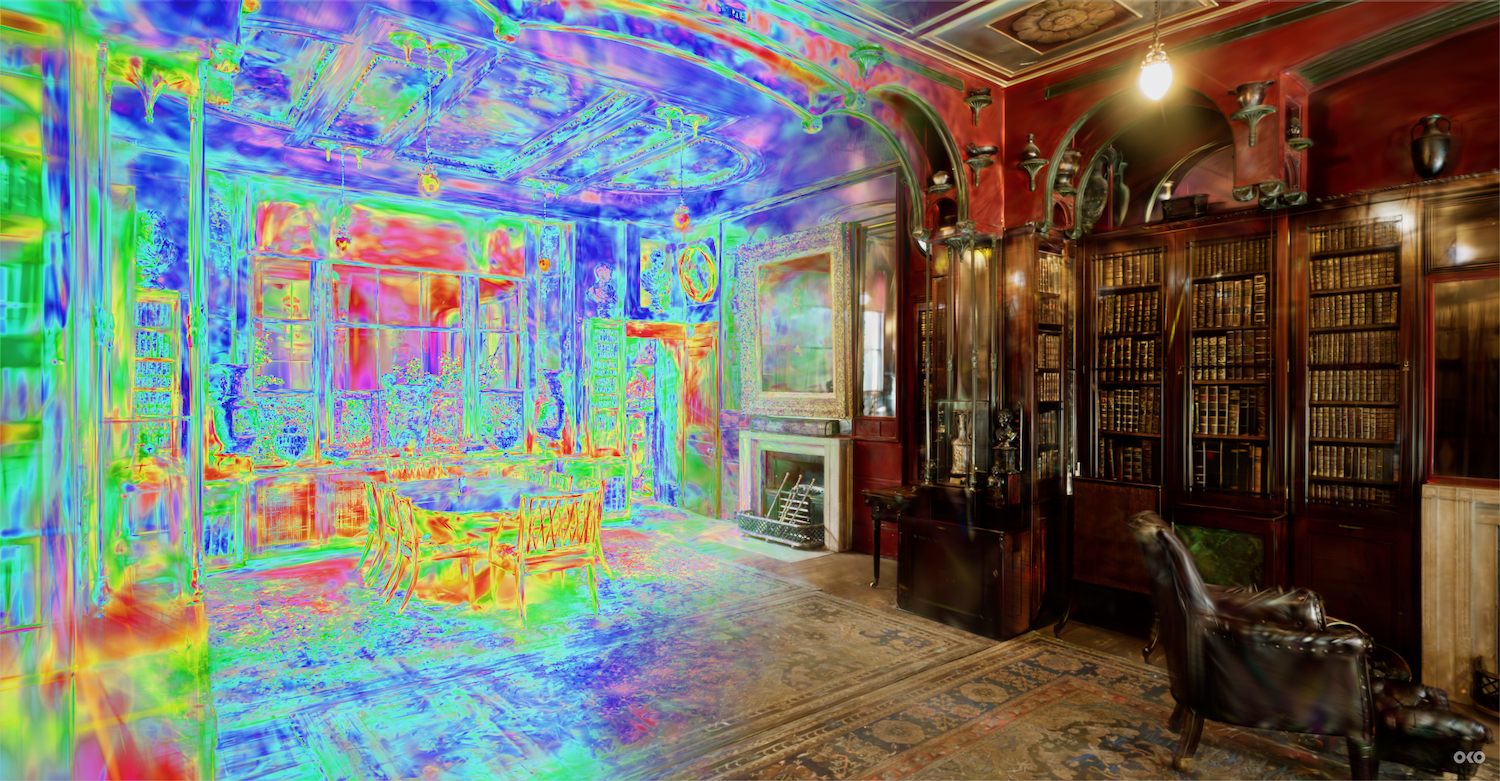
My favourite asset. The gorgeous Library/Dining Room at Sir John Soane’s Museum, rendered as 3.5 million splats, running at 60fps in Unreal.
Thanks for making it this far. If you’re interested in learning more about this implementation, I wholly encourage you to get curious and dive into the plugin. Play around and let me know what you think.
Until next time!
Explore the full Gaussian splat article series:
Part 1: How we wrote a GPU-based Gaussian Splats viewer in Unreal with Niagara
Part 2: This article 🙂
Part 3: There's Always a Bigger Scene
