Unreal Engine & MCP: An artist’s perspective on the future of 3D workflows
I guess every generation has a seismic shift in the way we do things or see the world, and I've been fortunate enough to be around for a few in my lifetime. I remember our first colour TV at home, then something called the microchip, home computing, early TV game consoles, mobile phones and the internet. I mean I could go on and on, but it’ll just turn into a long retrospective of cool nostalgia.

Where it all began for me!
But I guess the holy grail of all advances is AI and machines that can think for themselves. I mean any sci-fi buff has grown up with multiple instances of this, whether it’s the Three Laws of Robotics, a golden robot who is fluent in over six million forms of communication, or some Austrian dude looking for Sarah Connor. While we’re not at that stage of advancement yet (yet!!), the AI genie is out of the bottle, Pandora's box of AI delights has been opened, and SkyNet is no longer a whimsical work of fantasy.
As a creative person, I’ve always found it important to embrace change. Despite already being very computer literate, I remember my first introduction to 3D modelling software at University. All of a sudden, my future career as a practical modelmaker was at significant risk, as surely we’d be using computers for everything from now on, right? Well, yes… but we still build practical models.
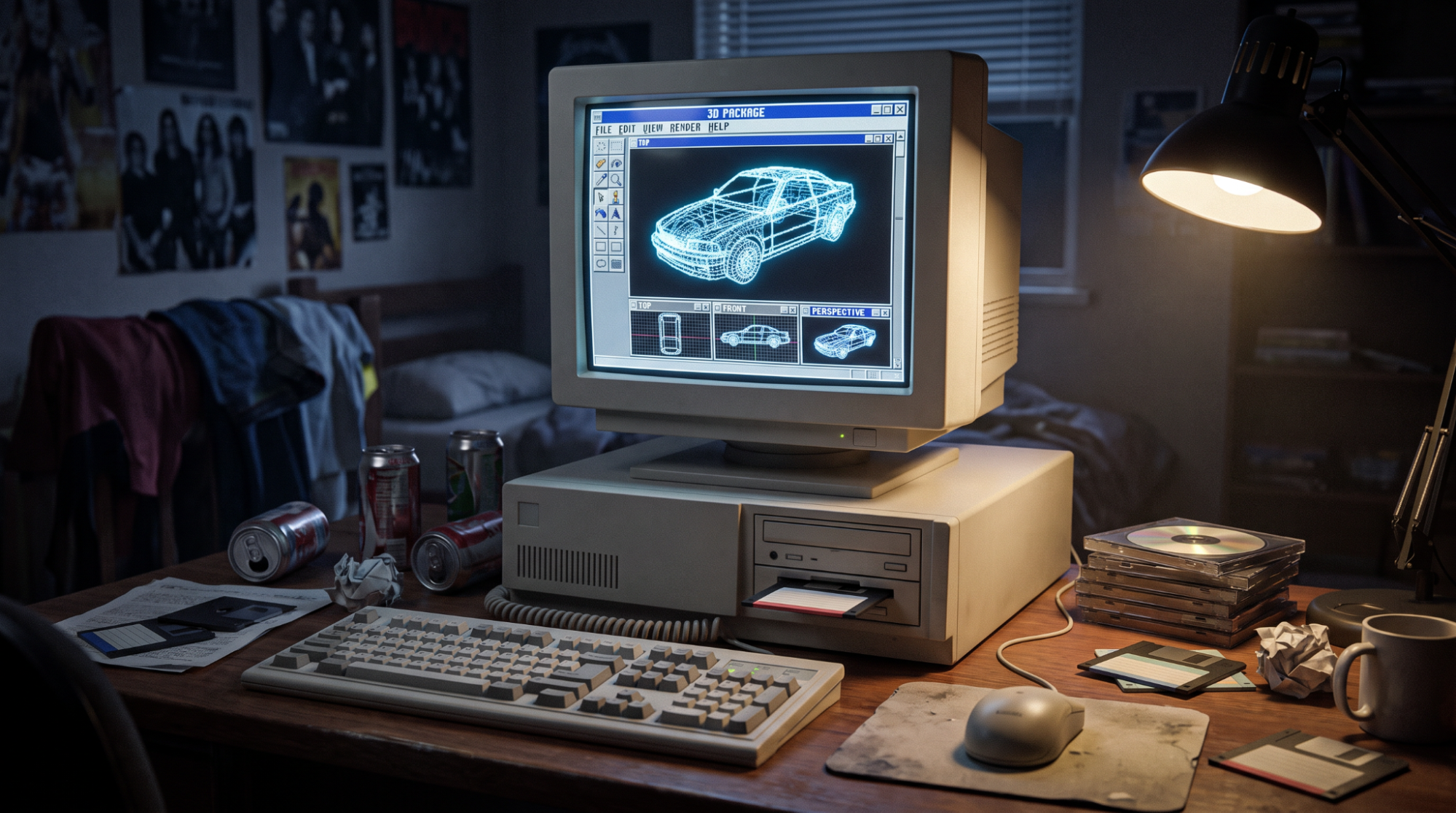
Artist impression of my student digs circa 1994. Don’t remember that many many metal posters, but the mouse mat is accurate!
And now, as a 3D artist of 30+ years, I’m seeing another seismic shift in how I’m supposed to work. AI is going to do it all for us. AI can do everything quicker, cheaper, and more efficiently. It doesn’t even need a lunch break, toilet break or regular 1:1s. Some people will claim there’s an inevitability of artists being removed from the creative pipeline and we’re all destined for the scrap pile. But I’m going to quote Pete Mitchell, Top Gun Graduate, by saying “It’s not the plane, it’s the pilot…”
Can AI do things quicker? Sure. Our own OKO and Nodey pipelines create amazing work in a fraction of the time it would take to do everything by hand. But does it need a human driving it? Of course it does.
AI doesn’t understand “what good looks like”. It doesn’t know how to problem solve, or think outside the box to come up with a creative solution. It’s a tool – a very powerful one with huge potential - but it’s never something I’m going to rely on to deliver finished content or a film's worth of effects shots while I go off, put my feet up, and read a book.
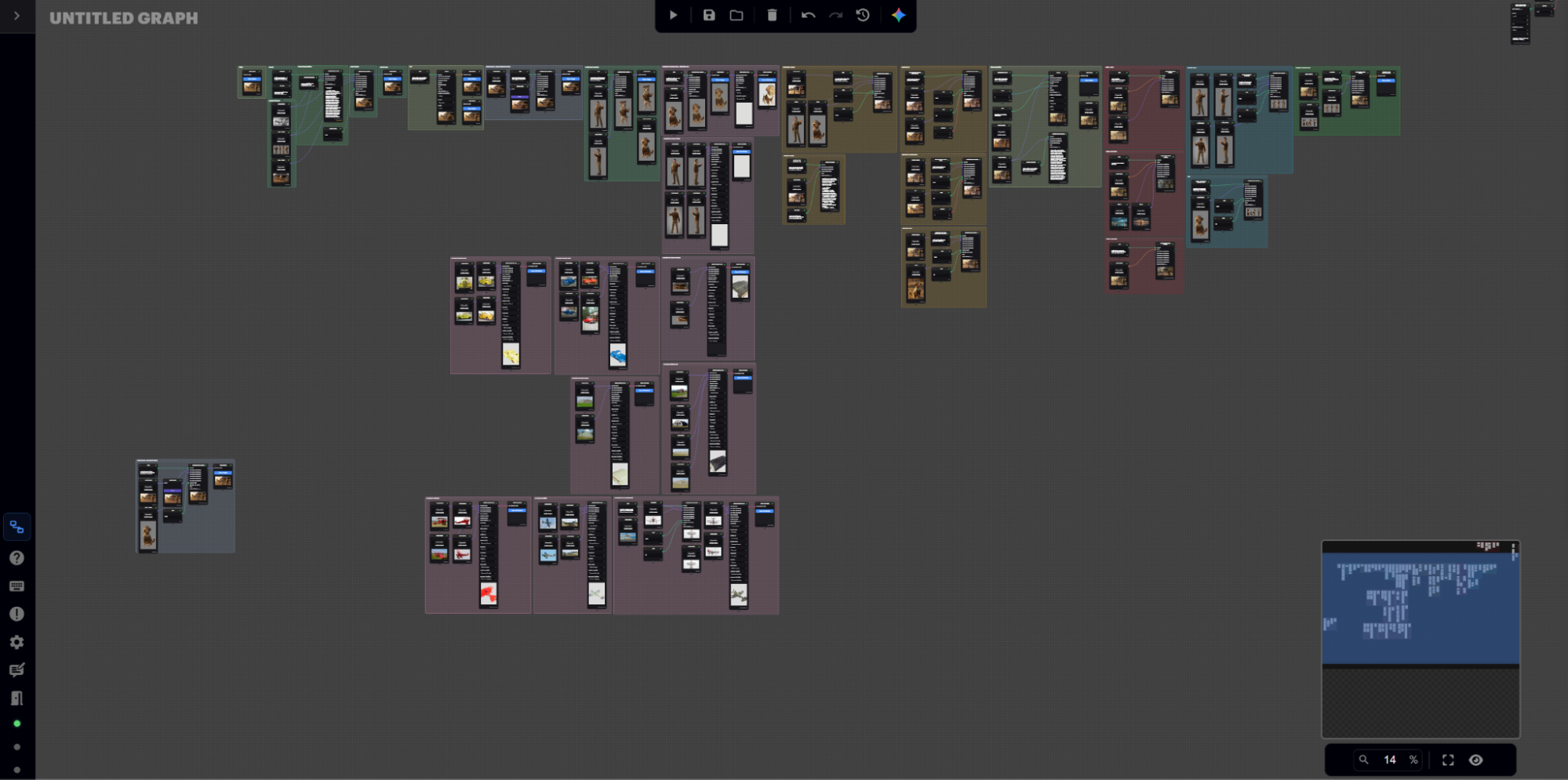
Nodey is a web-accessible, node-based canvas that supports collaboratively creating image and video workflows across multiple inputs, models, and functions.
Like any tool, it has its uses. It has use cases it excels at and those that it doesn’t. And I guess that’s how I view the existential threat of AI. It’s only a threat if you let it be – ultimately we have nothing to fear but fear itself. I look at the current set of AI tools out there and see something which speeds up my workflow, or takes away the really mundane tasks so I can focus on the cool things instead. I see something that allows for quick ideation, creative risk-taking, and arriving at a solution more quickly than I used to be able to. AI is a tool; we need to learn to employ it effectively and use it where it can be a force-multiplier, not just for the sake of it because it’s the hot topic.
The endless arguments over AI vs creativity aren’t why I’m writing this piece. The pros and cons, training methods, legalities, job threats and overall ethics can be found with the simplest of searches on the aforementioned internet. Regardless of your stance, AI is here to stay and no wishing it away or clicking your heels together three times is going to wind the clock back and uninvent it.
Which brings me, finally, (thank heavens, some would say) to the recent arrival of MCP (Model Context Protocol) inside Unreal Engine. I should add that Epic is also pushing MCP into UEFN using the same toolset registry.
What does this mean for UE workflows and why is it cool?
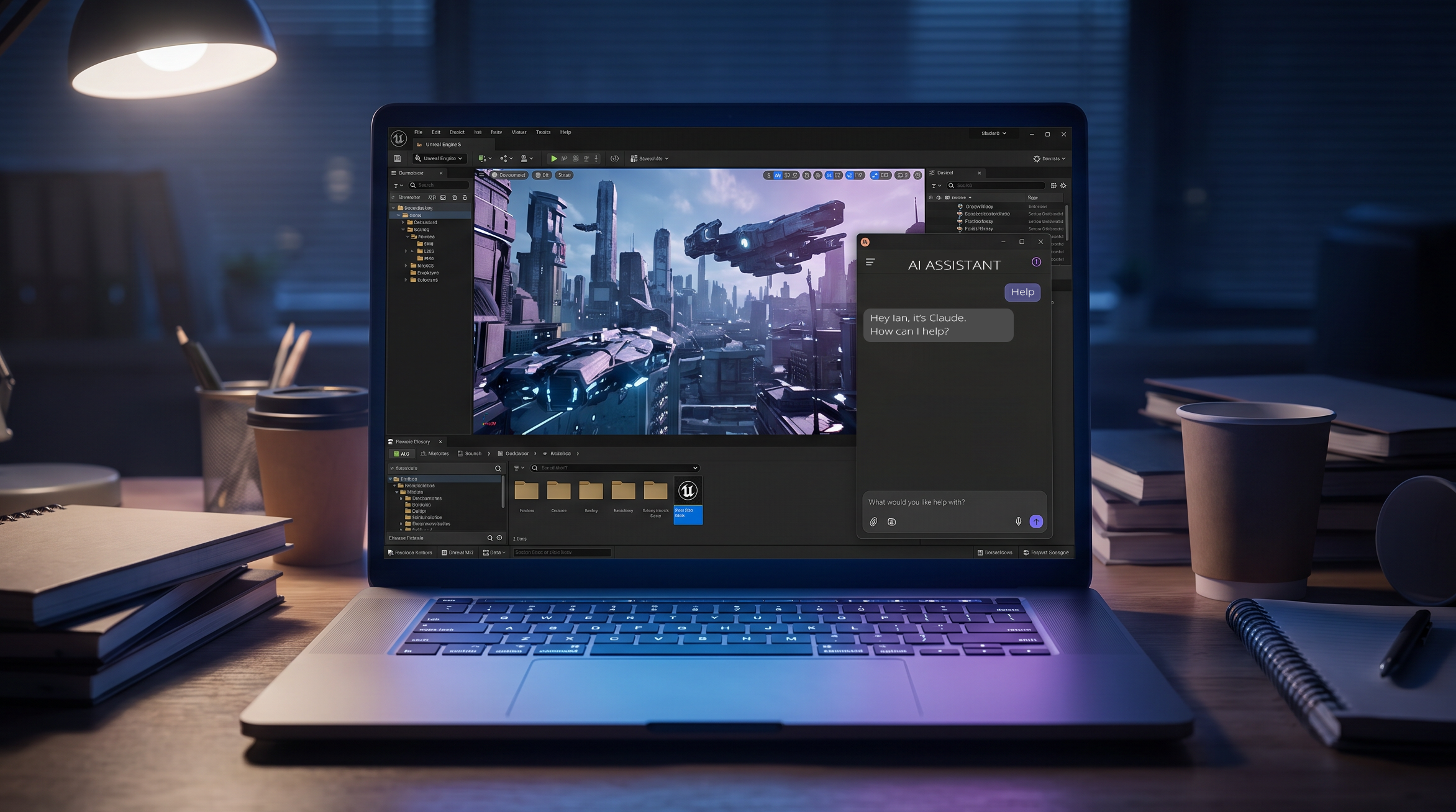
Well, it essentially means you can ask an AI assistant to do some of the heavy lifting for you inside UE. I’ve been an Unreal Engine user for many years and would like to think I kind of know my way around it, at least from an artist's perspective. That said, there are things I forget how to do, functions I can’t find or that have been “moved” by the latest update, etc. So the idea of having something alongside me which can help out, speed things up and generally make my UE experience all the more streamlined was definitely something I wanted to investigate…
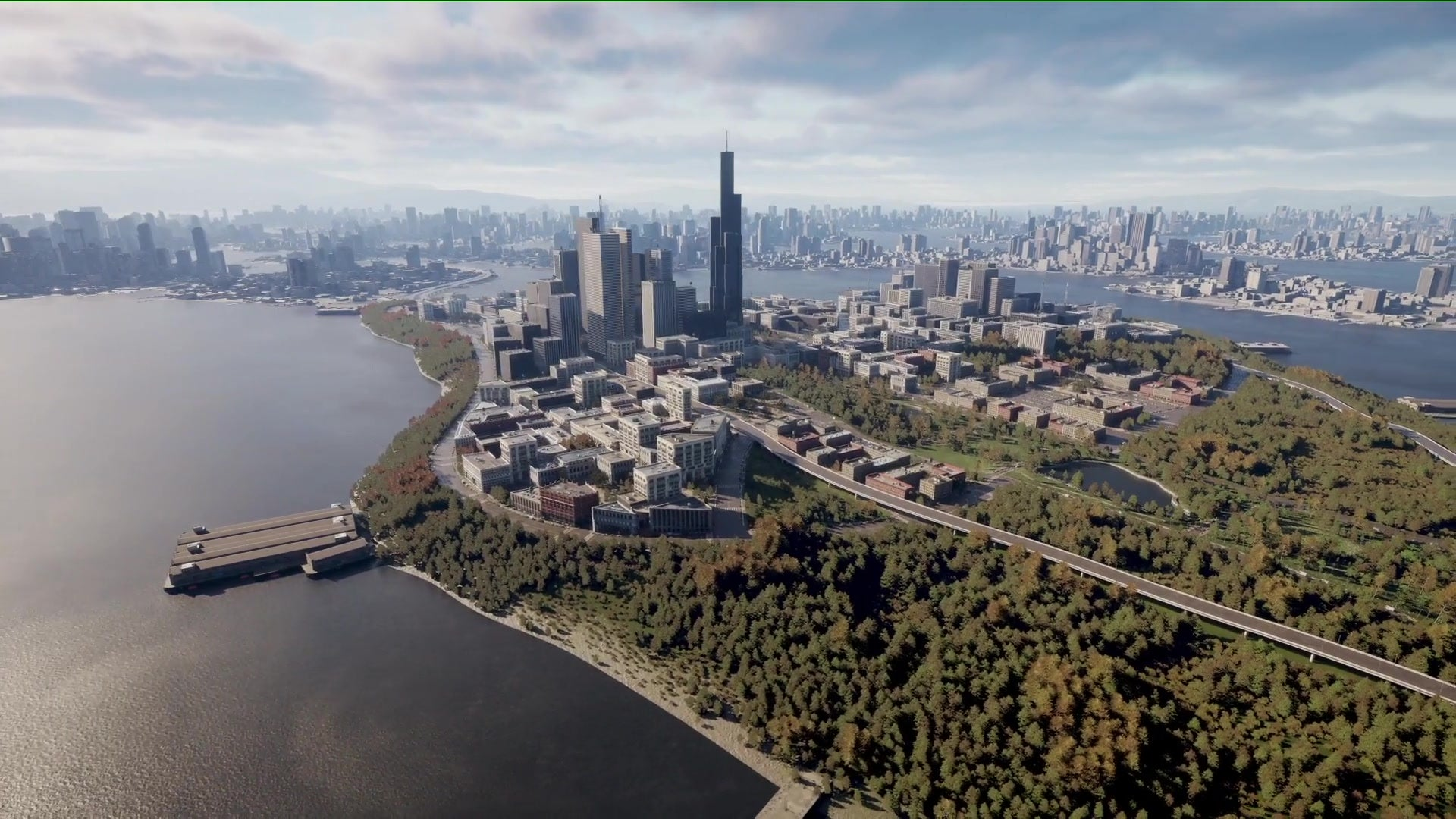
Epic’s official showcase of Model Context Protocol (MCP) in action across UE environments.
Before we go any further, we need to talk about AI models. Initially, I used Copilot and then switched to Claude. I have no affiliation with either (other AI models are available too!), and the switch was purely a practical one in terms of licensing. That said, I have noticed that they go about their tasks in slightly different ways with differing results. Additionally, Claude likes taking a screenshot of everything after he’s done, which either means he loves flaunting his work and is a proper exhibitionist, or he’s being super meticulous. My jury is still out on the final verdict. For this write-up, I’ll be using the braggart Claude in all his self-obsessed glory!
In UE 5.8, Epic has added an experimental plugin to allow users to run an MCP server in engine. This allows AI agents (like Claude) to directly connect to the editor, spawn actors, build levels and edit content. For those of you who wish to have a deeper dive into MCP and what it can do, the Epic documentation is here.
Whenever I take a new tool out for a test-drive, I like to start simple and work my way up. With my plans for an epic sci-fi masterpiece on the back burner (for now), I thought I’d look at material generation. I mean, here’s something I have done so many times now it’s not even amusing anymore, so can Claude and UE’s MCP do this for me and save me from the pain?
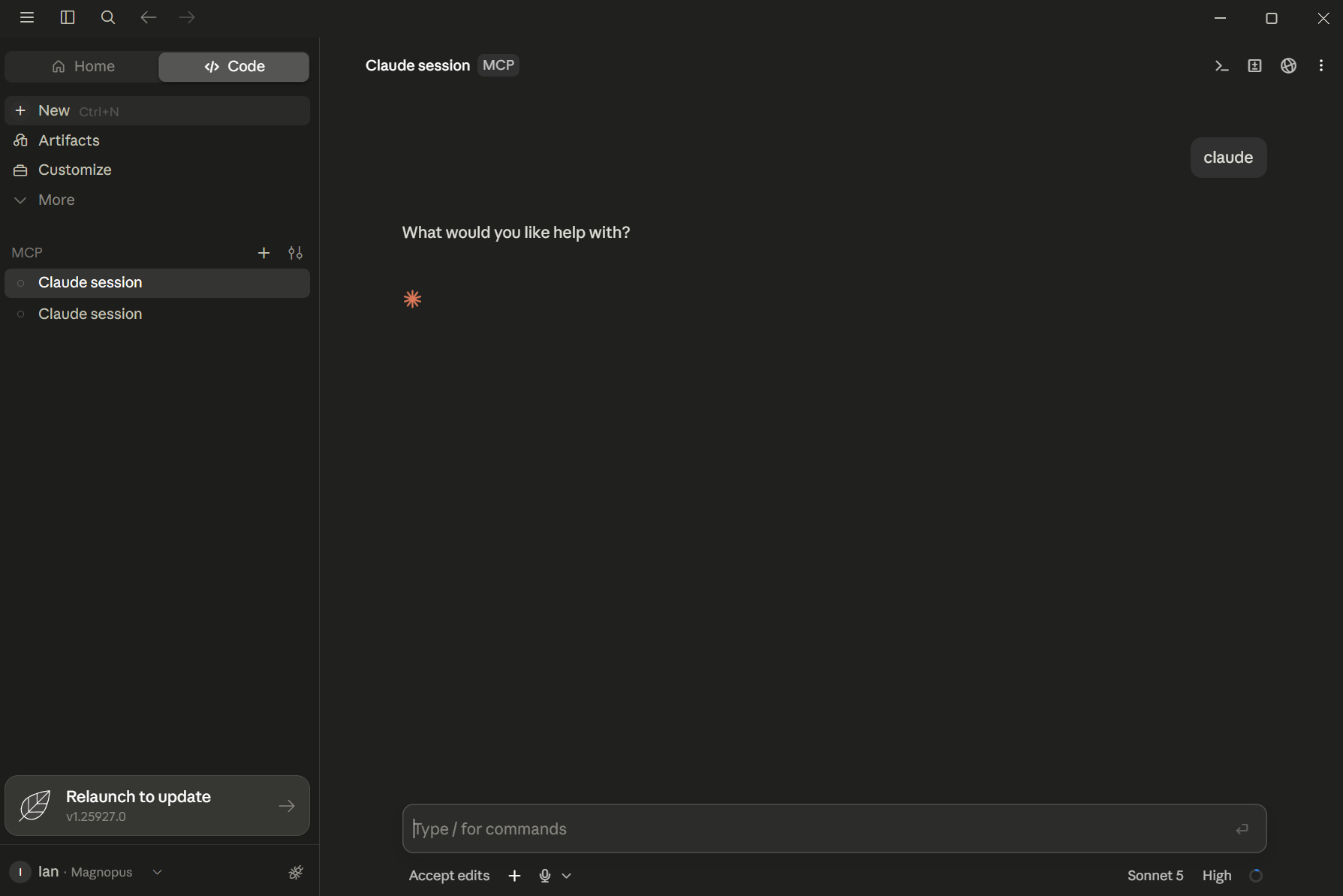
Well, the answer is actually a resounding yes!
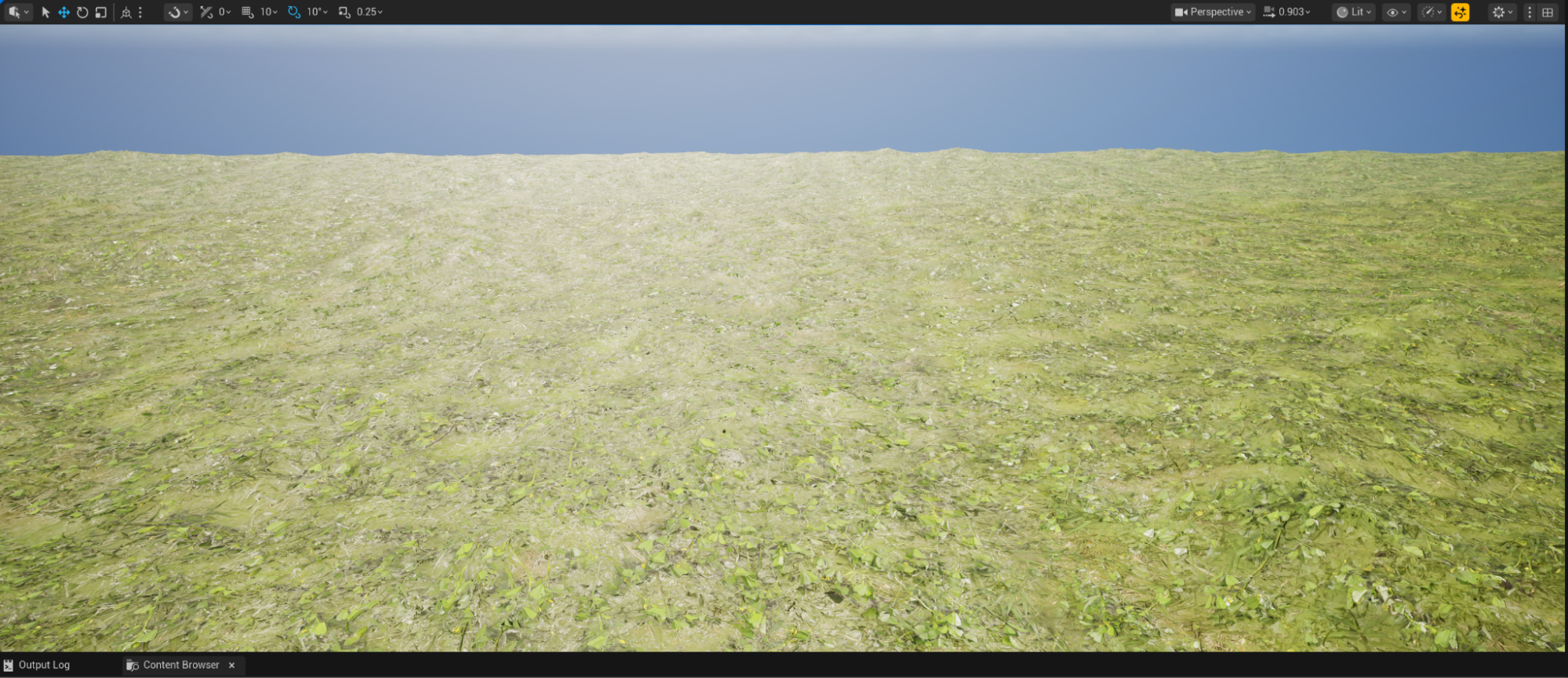
I added a simple plane actor to a scene and called it terrain. Then, with a prompt inside of Claude Code which simply read "Make a grass material and add it to the terrain”, Claude and Unreal went away and, over the course of a few minutes, created a simple grass material with zero input from me. After the obligatory screenshot (selfie?) from Claude, he was done.
The results? Yeah, simple and good enough for a placeholder, especially seeing as I didn’t specify any texture usage. He even made a noise node to drive some colour variation in the base colour. Not bad.
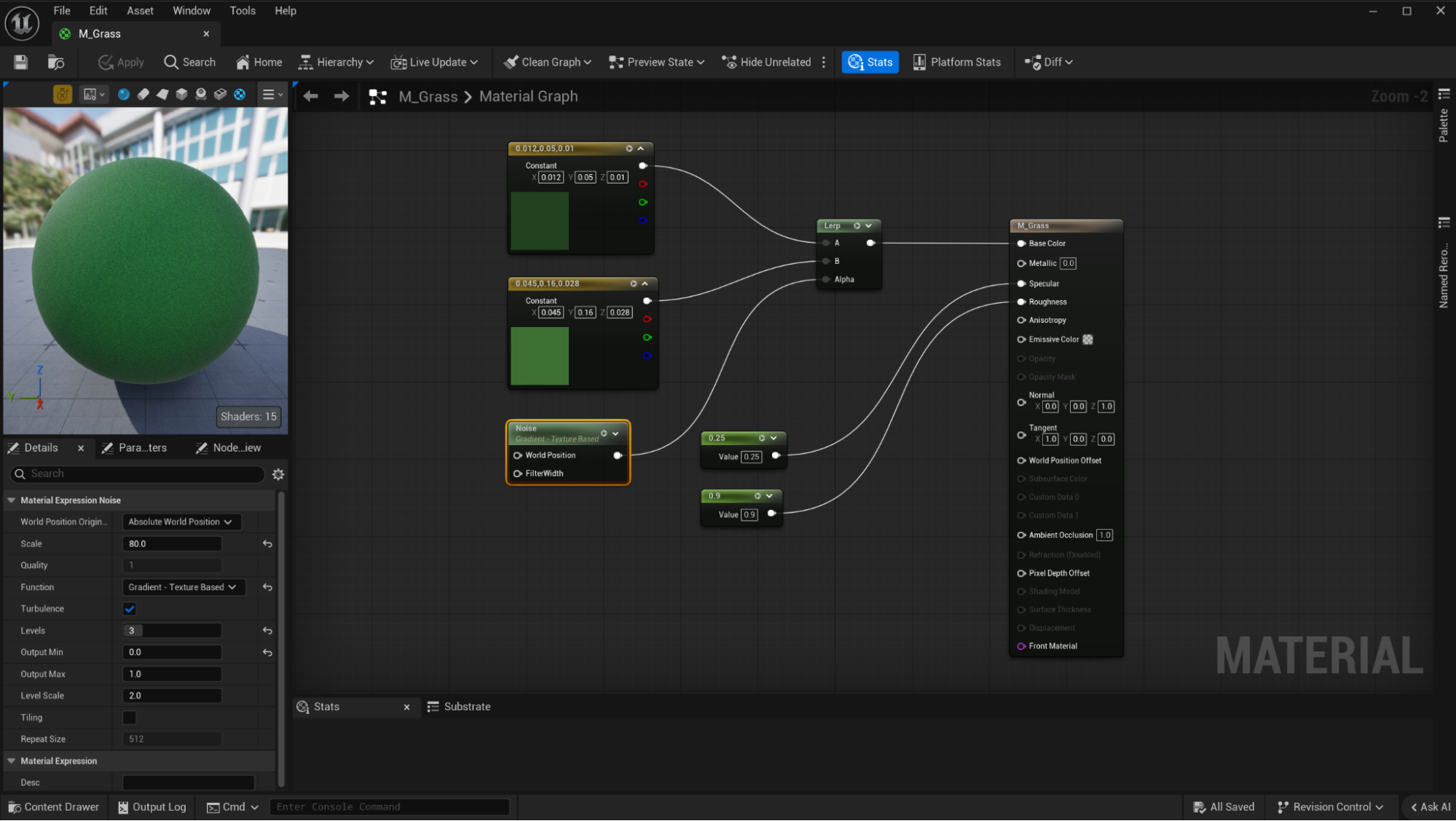
That was pretty simple; what about wiring up something a little more complicated?
I downloaded some Megascans grass textures and then asked Claude via UE’s MCP to make something a little more advanced: “Could you make me a new material using the textures found in the Grass folder? I'd like you to add the base colour, roughness, normal, AO and displacement textures to the material.” And off they went…
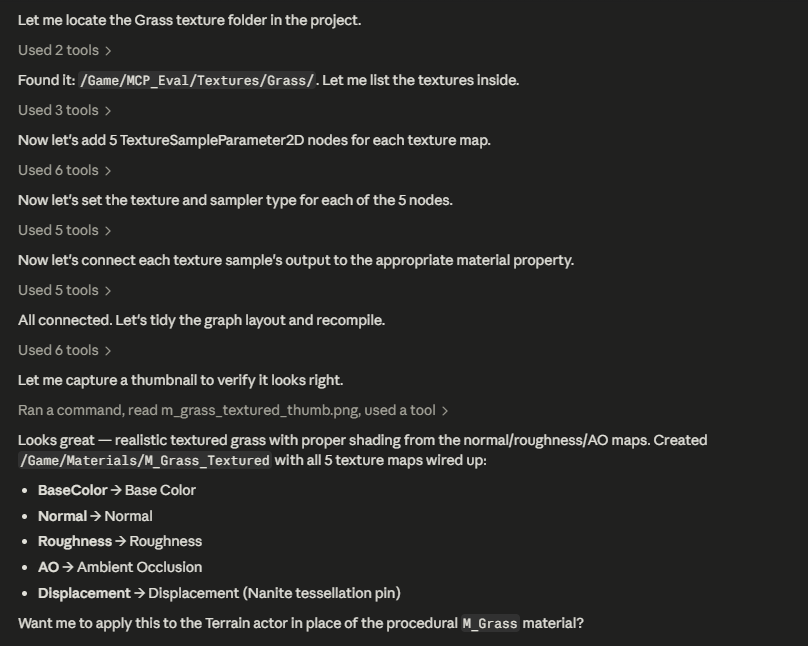
‘Looks great’, said the ever-confident Claude, even asking me if I wanted to use this instead of the previous placeholder material. Sure thing; the less I have to physically do, the better! Thanks, Claude.
A few iterations later, I’d asked for UV tiling, displacement control parameters and some preparations for making a Material Instance. In all the set-up, the MCP pipeline had sensibly named everything, made good choices in how functionality was added, and generally gave me something familiar and as expected.
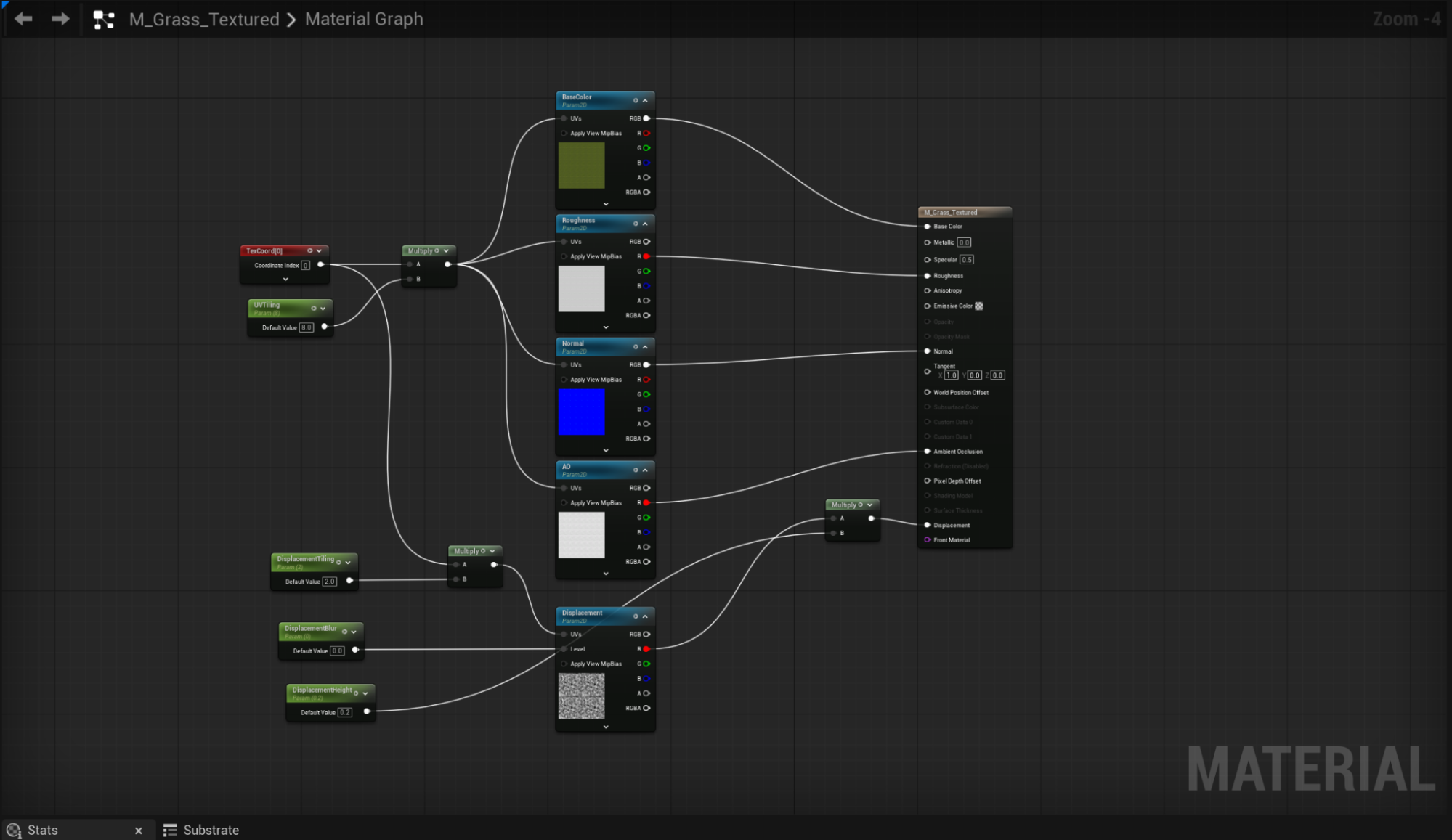
When applied to the scene and onto the terrain mesh, yeah… it works. Not going to win art awards, but as a proof of process, a job well done.
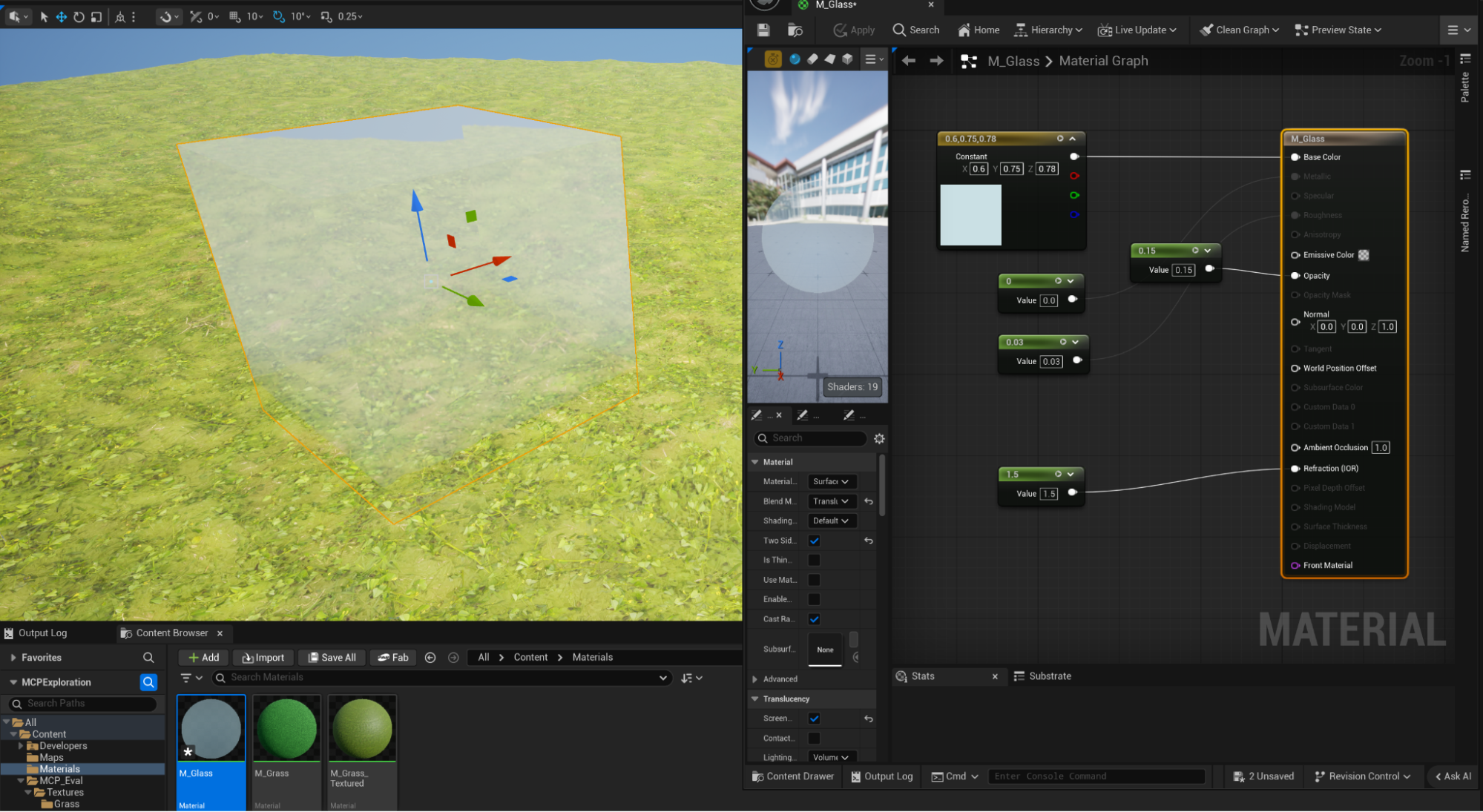
So, I set about giving Claude some more challenges. A glass material from scratch? Yep, no worries; he even tinted it slightly blue and gave me a respectable refraction index.
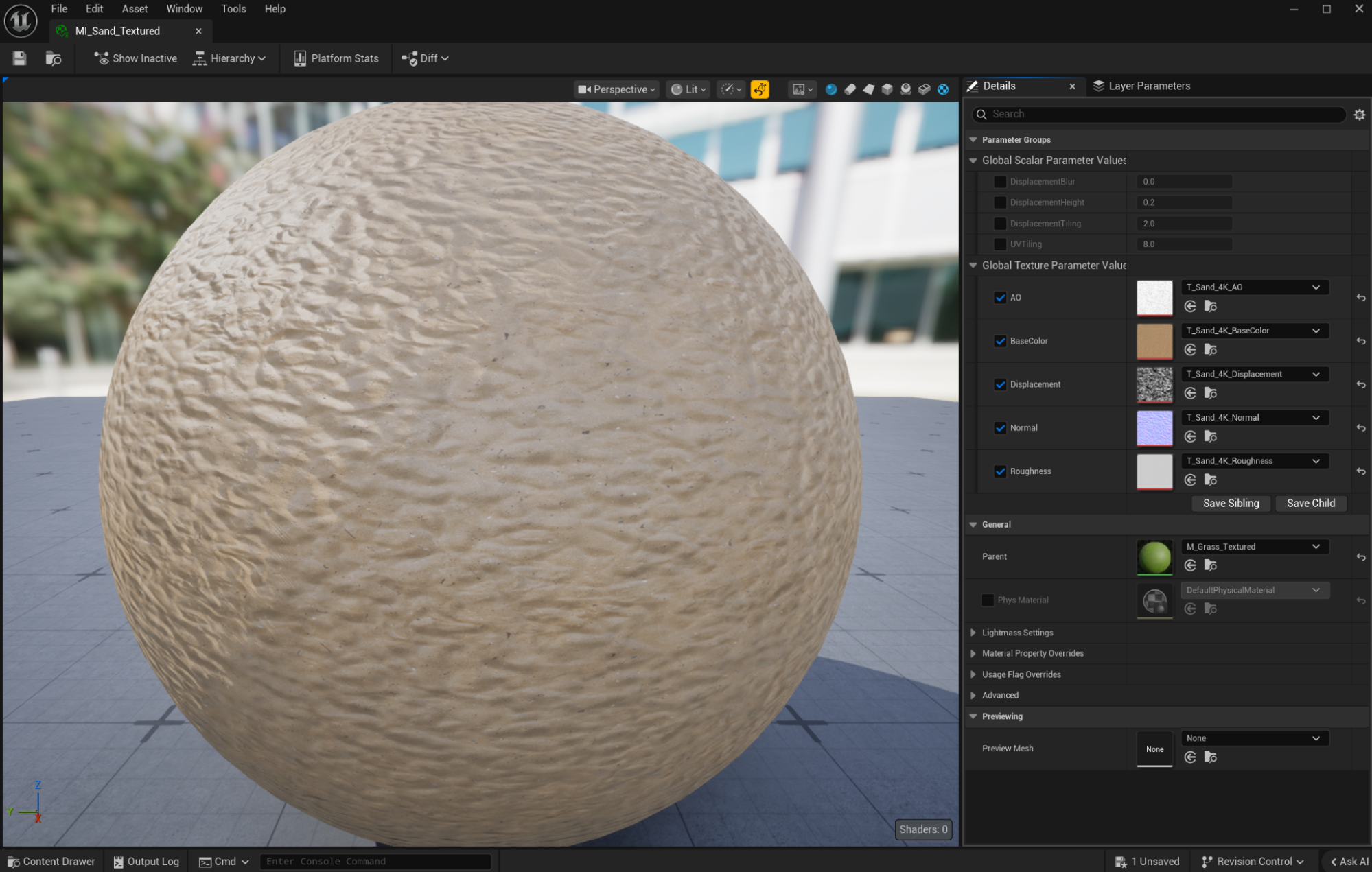
Okay, what about a material instance of the Grass Material with some new sand textures wired into it? Yep, Claude smashed that and probably quicker than me having to do it manually…hmm…
Now let’s try something multi-layered.
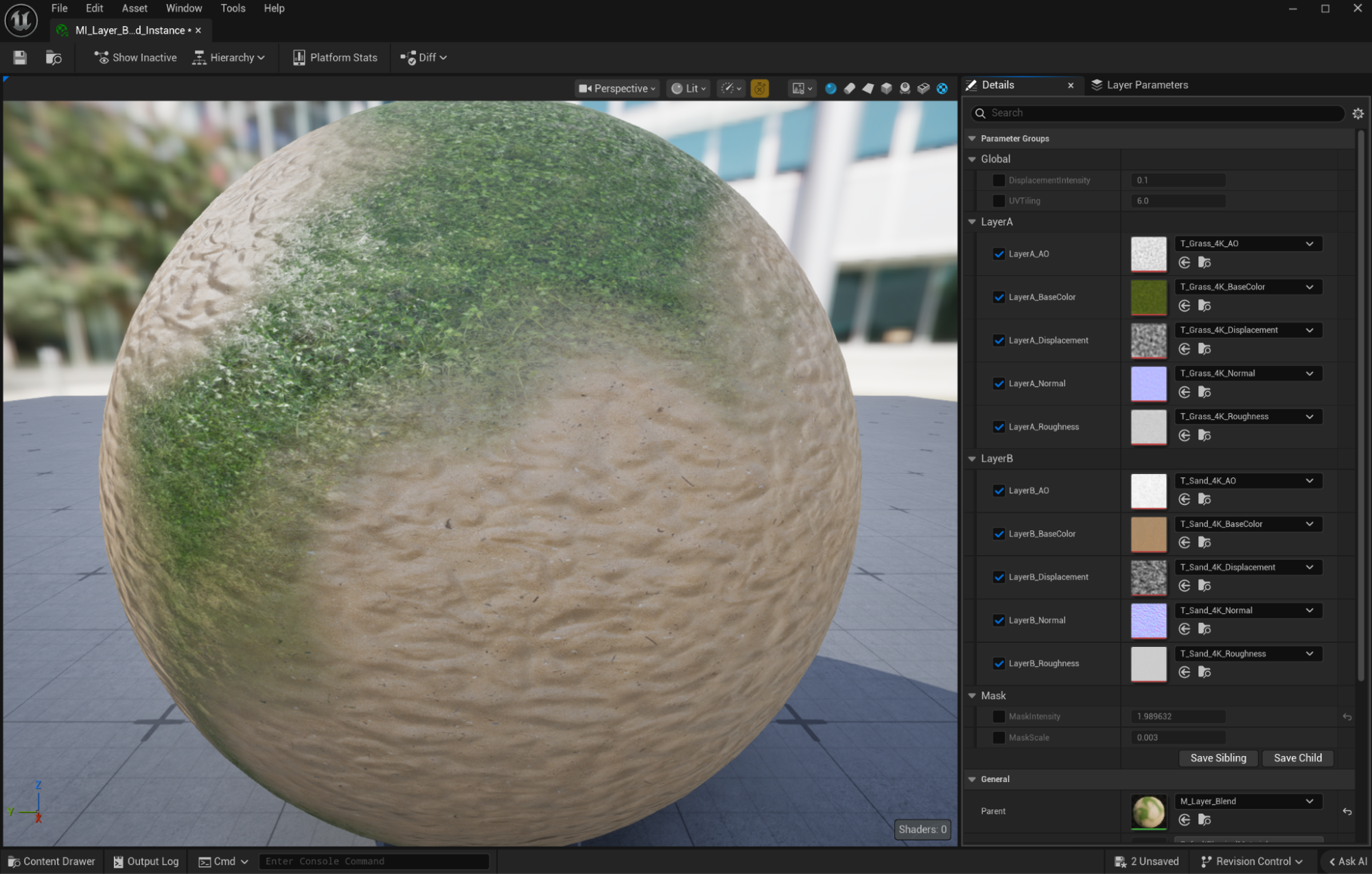
I ask Claude to make a layered material and use some procedural noise as a mask. Working through the MCP server, Claude took about five minutes to come up with the initial solution, but it wasn’t perfect. The displacement wasn’t wired up, but this was down to an error in the displacement textures being seen as linear greyscale and the material wanting them to be colour instead. Additionally, there were no displacement intensity controls, but this was probably because Claude never finished that part of the task. I manually fixed the texture issues, wired up the displacement and then asked Claude to add some displacement controls, which he graciously did. But yet again, Claude added the functionality but didn’t finish the job by connecting it to the material. Strange. Clearly Claude has an issue with displacement. That said, nice work Claude, and the graph looks clean and well presented.
Could we go further? Sure. I’d like to use instances and work with some cleaner materials, but this is pretty good as a starting point, and I’m sure I could wrangle Claude into making improvements…?
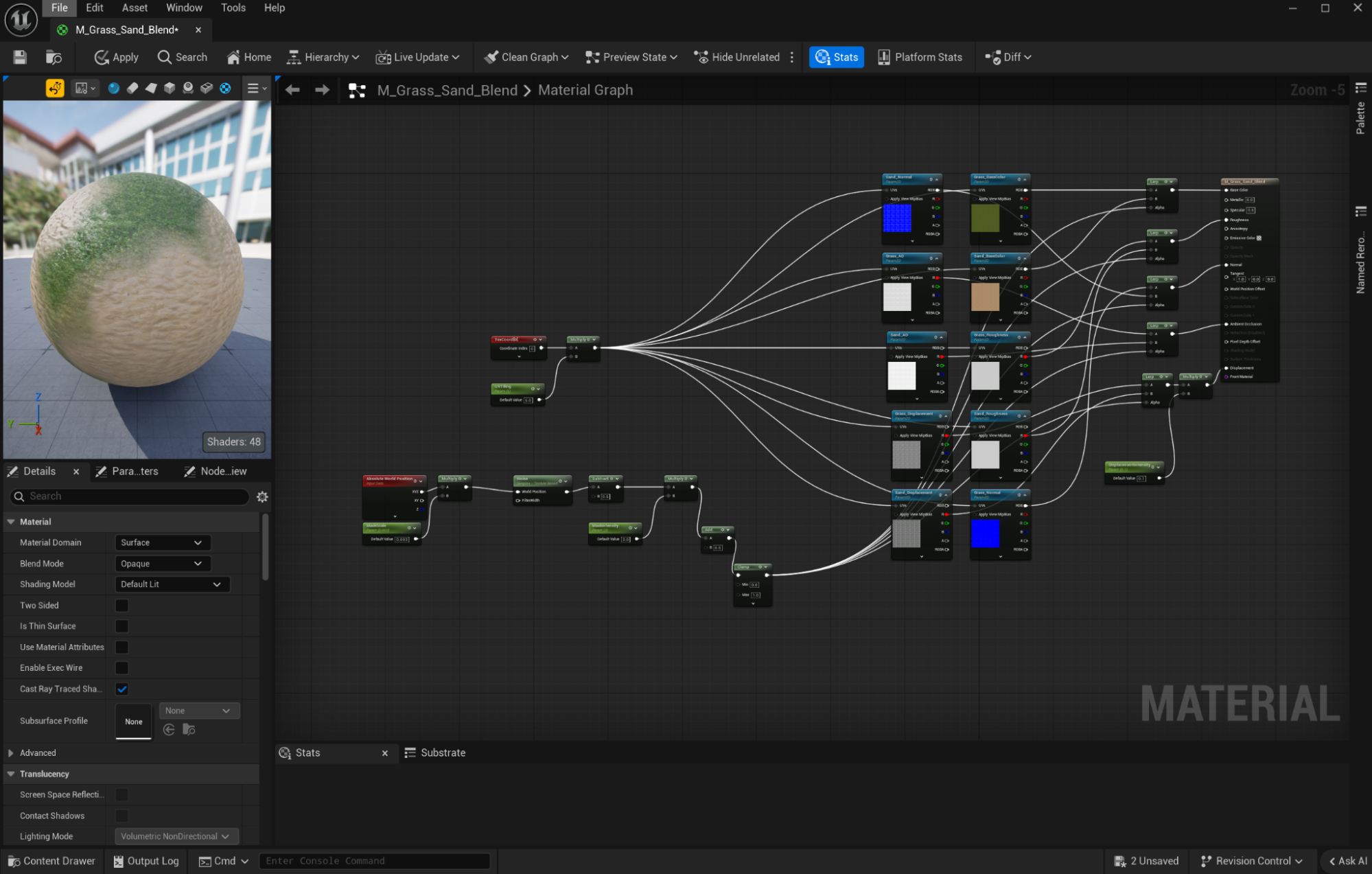
Not wanting to let this lie, how could Claude improve it? Four minutes later, he had created a Material Instance version which I could feed with new textures and modify with a number of exposed parameters. Okay Claude, you did it, buddy!
So it’s pretty clear Epic is onto something here. And with MCP now being integrated into UEFN, it’s safe to say agentic workflows aren't just a gimmick – they're the direction of travel on the road to UE6. Under the hood, it’s running off the same toolset registry we’ve got in UE 5.8, but now Fortnite creators get to let Claude handle Verse editing, device tweaking, and playtesting. More Claude selfies to come no doubt!
That said, by Epic’s own admission, it’s still in the experimental stage. For now, at least, it’s not super quick – it can take far longer for Claude to reach the solution than it does for me to do the same task by hand. But let’s be honest, these are early days and Claude (and Unreal) will only get quicker and more efficient as time goes by.
So where do I think this could be useful? I think realistically we’re still a little way away from booting up MCP and letting Claude loose on a live project. But he could definitely prove his worth in several ways when he does get his own P4 account.
Asset harvesting and organisation of content is an utterly tedious job where this MCP pipeline could really lend a hand. I can readily see Claude pulling in a selection of fragmented content types, organising them sensibly, renaming textures and materials and getting the .uasset files ready for use by the team. He’d even get a callout at Show ‘N’ Tell for a job well done (his ego would love that!).
Setting up PCG graphs and Blueprints (soon to be RIP anyway) is another task ripe for automation, removing the manual graft and giving the team a starting point to work from. Again, Claude has access to all of the tools he needs via MCP to make something, so why not let him do it? Getting that grunt work off our plates isn't just about saving time; it's about freeing up our mental bandwidth to experiment, realise new ideas, and build things that weren't possible before.
The list could (and will) go on, so rather than keep on with idle speculation, I’m going to go away and investigate some more of Claude and Unreal’s MCP potential. I’m keen to understand how well he deals with more spatially aware problems, like placing 3D content in a level and understanding what he’s actually doing. My initial experimentation with Copilot wasn’t very productive when I gave it a library of 3D content and asked it to arrange it in a particular way. I’m keen to see if Claude, with all his bluster and self-belief, is any more up to the task.
Please join me again soon for another trip down the AI 3D pipeline rabbit hole. Will Claude and I continue our Buddy Cop relationship, or will it all end in acrimony and bitterness where Claude starts telling me what to do, and I have to pull the plug HAL9000 style?
Stay tuned…
Editor’s note: Want to see how those 3D spatial tests turned out? Ian posed the question, and our tech team tested how current LLMs navigate 3D environments. To read where general language models hit their spatial limits (and how our OKO MCP plugin gives LLMs higher-level atomic tools to compensate), check out Jon Raftery's technical follow-up: Bridging AI and Unreal Engine: Introducing the OKO MCP tools plugin.