
Gaussian splats part 3: There’s always a bigger scene
Previously, on OKO…
The year was 2025, and as I wrote last time, the industry had fallen head over heels for Gaussian splats, and Magnopus right along with it. I'd spent a good while dragging our Unreal splat renderer out of Niagara and rebuilding it around the engine's instanced rendering: every splat registered as an instance, a GPU-side sort on each frame was invoked to composite the transparency in the right order, and a material shaded each one into a soft ellipse.
It worked, and it worked well enough that I wrote a whole article about it. I felt rather pleased with myself.
Well, as it turns out, I celebrated way too soon when I claimed a capability of rendering unlimited splats. In reality, several walls were making this categorically untrue, and the first one was much closer than I expected.
Not so unlimited after all…
The first wall
Here's a humbling thing I only learned after publishing that last article: the renderer I'd been showing off had a hard cap of about 16 million splats per asset. I hadn't the faintest idea. Every asset I'd tested happened to sit under it, but the limitation was always there. In my hubris, I just didn’t know about it yet.
That limit came down to where the per-splat data actually lived. Registering every splat as a modern mesh instance in Unreal meant handing it to the engine's GPU Scene, effectively a central ledger of typically everything in the world that resides on the GPU.
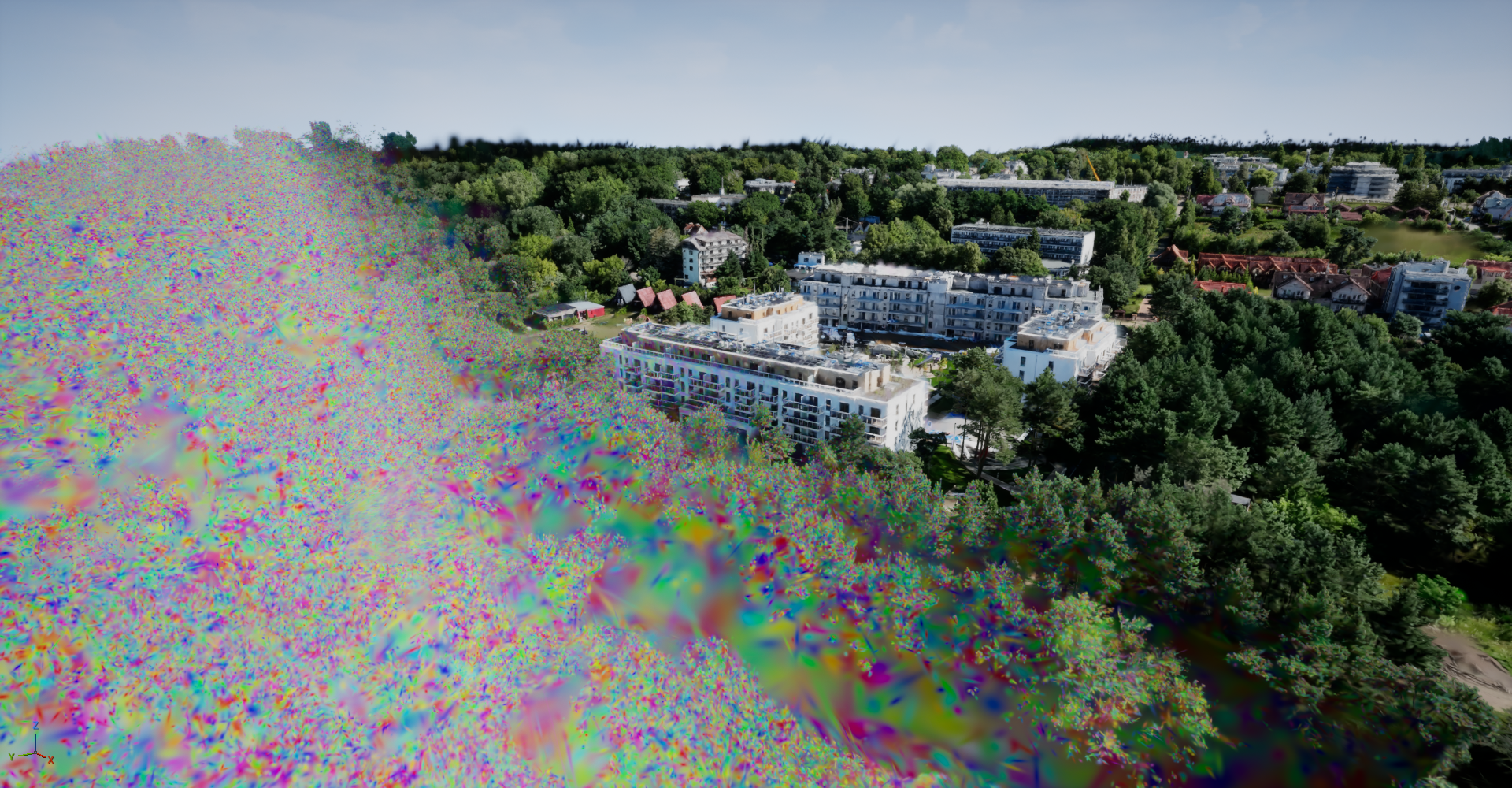
And while GPU Scene is superb at what it does, it was built to support thousands of instances of a mesh – not tens of millions or hundreds of millions – under the hood is a cap of at most 16 million instances of a given mesh. When you cross it, things come apart; only part of the asset is visible at any given time, graphical corruptions abound, and you get a warning printed on the viewport informing you of your failure.
The naive solution, and the one that worked out for me, was to stop using the GPU Scene to track splats altogether. Instead, I went fully old-school and relied on a more traditional instance-render pipeline that more or less ended up being a direct invocation of what’s generally known as DrawIndexedInstancedIndirect.
This required a few key steps:
Skip registering instances with the GPU scene; do a classic indirect instanced draw instead.
Feed the indirect draw buffer the draw count from the sort keygen shader, which was already iterating over all splats while generating sort keys per-frame.
Store all splat instance data on the GPU via textures (which we also got for free from the last article).
Write a small vertex factory (Unreal's abstraction over vertex shaders and their material bindings) and have the vertex shader sample the sorted splat buffers (see the last article), get the appropriate splat attributes and then pass that onto the material.
The rendered image came out pixel-for-pixel identical to before, but the 16-million ceiling evaporated, because the thing imposing it was no longer in the loop. Our test asset of ~30 million splats was rendering happily. Better!
Free from the shackles of GPU Scene’s max instance count.
Some other nice things fell out of the custom vertex factory approach too. Since splat meshes are always trivial quads, they’re easy to derive procedurally in the shader itself, which meant there was no longer a need to specify an actual Unreal mesh – the system just derives the vertex attributes in the vertex shader, making the whole thing a little more turnkey.
And the other benefits that indirect-instanced-draw effectively moved us to more of a bindless-rendering approach.
Since we were already iterating over all splats each frame while generating their sort keys, we could also do more advanced per-splat culling in there, and then write the sum total of all visible splats to the indirect draw buffer. We now only drew exactly the number of splats visible within the camera frustum, and the culling logic lived entirely on the GPU.
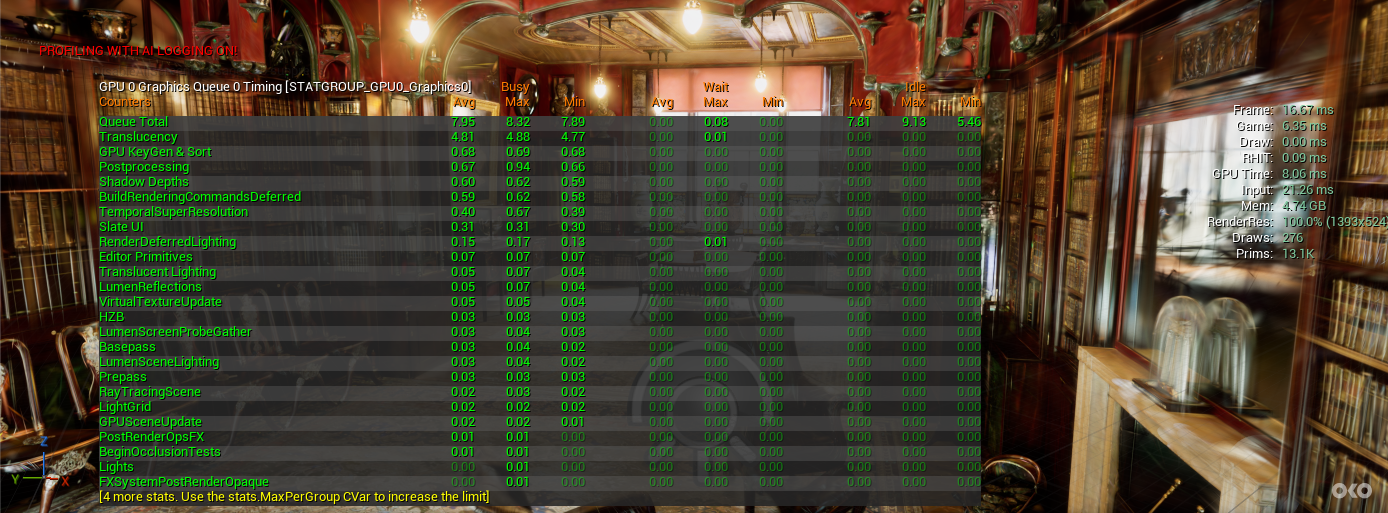
Before – GPU Scene implementation
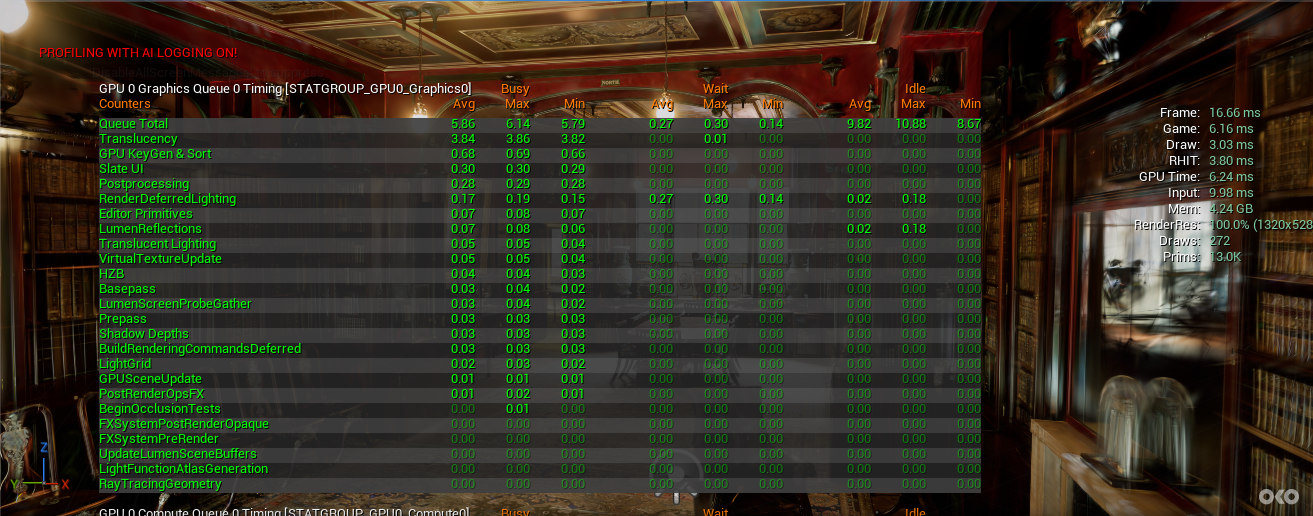
After – indirect instanced draws and per-splat culling
While that’s great, in that it gives us a nice performance boost, what’s also worth calling out is that the number of splats being drawn per frame was now truly variable, and decided entirely on the GPU. The pipeline had grown into the right kind of shape a level-of-detail system needs; drawing a different subset every frame, decided at the last possible moment.
I hadn’t set out to build an on-ramp to LODs. But that’s what it turned out to be.
Hubris: Redux
Lifting that instance cap felt like the finish line. However, in less than a week I hit the next wall.
Because the GPU Scene exfiltration had changed how many splats I could draw, but not how many I could hold: every splat in the scene still lived in GPU memory, all the time. That's completely fine when the whole scene fits. But obviously a splat isn't free in terms of memory. Position, scale, orientation, opacity, spherical harmonic coefficients, all told about 32 bytes per-splat once I'd packed it as tightly as I dared.
Which implies you can throw a lot of splats at VRAM, until you meet a real photogrammetry capture of a real site, at which point you discover that reality is annoyingly high-resolution and doesn’t care about your VRAM budget.
The captures we actually wanted to show people were bigger than the capacity of the machines, and there was no more clever packing to be done. So the whole scene can't be resident at once. Which means only part of it can be. Which means the renderer has to decide, every frame, which part to render, go and fetch it and then draw it on-screen. Stop me if you’ve heard this before.
What LOD even means for splats
If you've done anything in real-time graphics, you know about LODs: far-away things get a cheaper stand-in. A distant tree mesh becomes a lower-poly tree, then a billboard, then a smudge. Things get cheaper over distance.
Splats don't have polygons to throw away, but they have something better: there are simply too many of them, and a lot of that density is wasted on a region that's forty metres away and six pixels wide. So a splat LOD is a decimated copy of a region; the same blob-cloud, with most of the blobs removed, and the survivors enlarged to cover the gaps. At LOD level 0, we show every splat, and at higher LOD levels we show progressively fewer.
The format we settled on, PlayCanvas's Streamed SOG, bakes this for you. It essentially carves the scene into a spatial tree of regions ("leaves"), and each leaf describes several decimated LOD levels. A little lod-meta.json at the root then describes the overall tree structure and where each chunk lives.
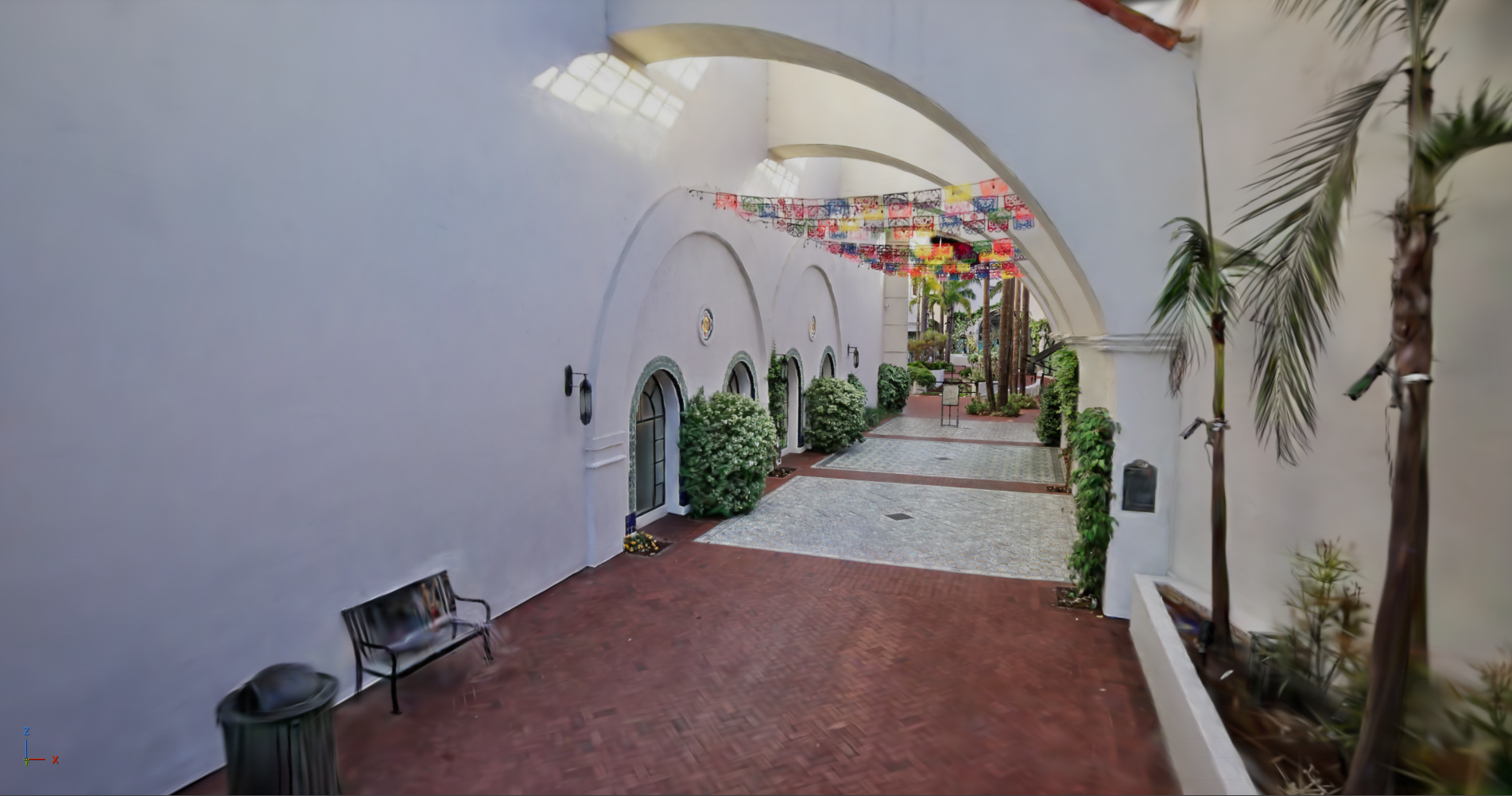
LOD Level 0 – dense
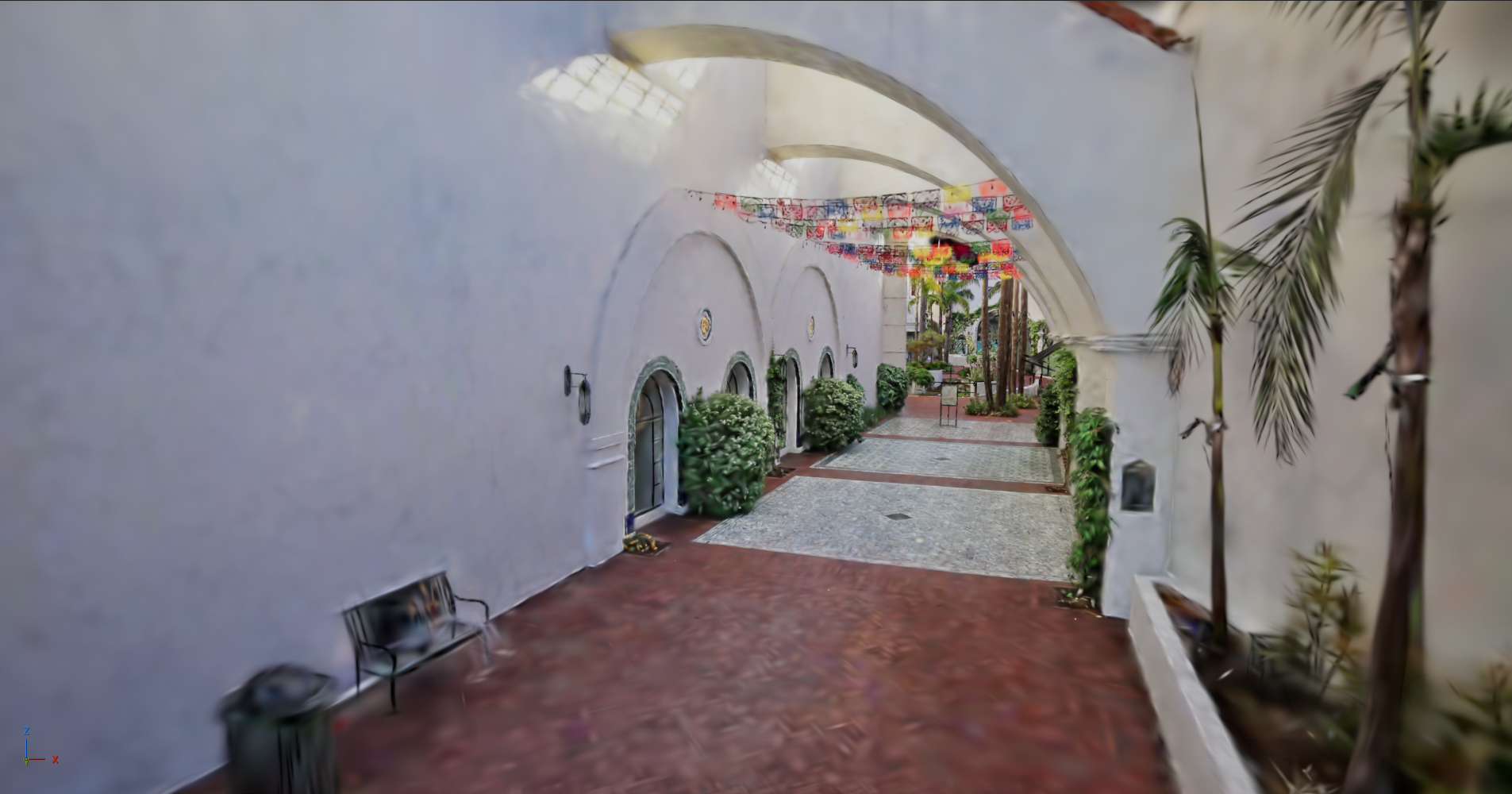
LOD Level 3 – coarse
Deciding what to draw
So. We have our LOD data. Now, for every frame, for every visible region, pick a LOD level. Great, how exactly?
My first instinct was to reach for something clever. My second, better instinct was to remember that the only thing that matters is how wrong it looks on screen, and "how wrong" is measured in pixels.
For this, there is a decades-old idea called screen-space error (SSE), where you work out how much visual error a given level would introduce, project that into pixels at the current camera distance, and pick the coarsest level whose error stays under some threshold. Call the threshold τ (tau), because everything in graphics eventually gets a Greek letter.
For splats, we don't have a mesh to measure error against, but we can cheat somewhat with density: from how many splats a region packs into its volume you get an approximate spacing between them, project that to a pixel size, and compare against τ. Big on screen and dense? You've earned level 0. Small and far? Have the coarse one; nobody will know.
An exaggerated view of the renderer switching between LOD levels based on the SSE metric.
In the end, τ became a dial we exposed to the user, framed via human-friendly terms as Low/Medium/High quality options in the project settings. High is the default and means "spend detail freely"; whereas Low means "be stingy in the distance".
Unglamorous machinery
The less sexy side of this is the machinery involved in just getting the LOD data onto the GPU in the first place.
Because when you first look at one of these scenes, none of it is yet loaded. The renderer comes up, the proxy lives, and there is nothing in the texture pool at all. LOD selection runs, works out "I'd like these chunks please", and they aren't there yet. They have to be loaded (or even downloaded) first. So it draws whatever it does have, which at first is nothing, then the coarsest levels as they trickle in, then the fine detail where you're actually looking.
The idea is that the scene assembles itself in front of you – coarse to fine – over some period of time.
Splats being delivered via HTTP, from coarsest to finest.
And the other part involves taking advantage of the real reason our adopted LOD format is called streamed SOG. It’s designed to be delivered over the network, leaf by leaf, LOD level by LOD level. The idea being, you don’t have to have the whole asset locally to see content – you only need to get the LOD levels for leaves around you.
Conceptually simple for sure, but implementing that was the part I found hardest to get working. A lot of fiddly machinery to get right; here’s the concepts I found the trickiest to get right:
Everything async: Loading a chunk might mean reading a file, but it could also mean an HTTP request to a server on another continent. Obviously we can’t block the game thread on that latter case, or really either case, so the whole thing has to be an async request/delivery model. You ask for a chunk, and you’re told about it later via a callback that fires on whatever thread finished the work. Cue lots of fiddly thread synchronization mechanisms.
Coarse-LODs-first: We request the coarsest level of a region first, so you get a stable low-detail version on-screen as quickly as possible, and then it sharpens as the finer chunks land.
Fencing chunk uploads: Speaking of thread synchronization mechanisms, uploading a chunk gets a special shout-out. Uploading into GPU memory and marking it "ready to draw" CPU-side are two different events on two different timetables, and if you get the order wrong you get to enjoy a single frame of garbage triangles. A chunk only becomes drawable the frame after its upload has provably landed.
Multi-view support: We frequently use splats in virtual production scenarios, where invariably there are multiple cameras rendering concurrently in a single instance of Unreal. Since the splat data is the same – that can just exist once – but all the LOD selection decisions, the record of those decisions and the transmission of those decisions to the GPU for the right camera all need to be accounted for.
Raising the max splat count
Walls, as established, come in a series. Right about when the streaming worked end to end, I fed it one of the genuinely enormous captures and it fell over with: Texture2D cannot be created, exceeds this rhi's maximum dimension (16384)
Ah. So all those splats live in a texture, and I'd been laying them out at 4096 to a row. A texture can only be so many rows tall (in this case 16384), which means we cap out on a single texture at about 67 million splats. When you exceed that number, the driver/RHI layer refuses to create the texture, and the whole thing falls apart.
In the end, there were two things to fix here.
The first thing is an embarrassing anecdote. Early on, I made a choice to use a constant row size of 4096 splats, which meant I was missing out on filling out a potential other (16384 - 4096) texels with data per row. There was basically a lot of horizontal space in the texture that I could have been using but wasn’t.
So… I made the texture wider. Widen the rows from 4096 toward the hardware maximum, and the same texture can now contain a potential 268 million splats (works out to roughly 8.6GB of VRAM), at which point you're finally actually bounded by the maximum potential storage of a single texture.
A really small change in the end; the row width became a number computed per-asset instead of a constant baked in various places, but I do like it as a parable. I'd spent ages treating something as a fundamental limitation when it was in fact just an arbitrary constant I'd typed months earlier. I guess it’s true what they say about assumptions.
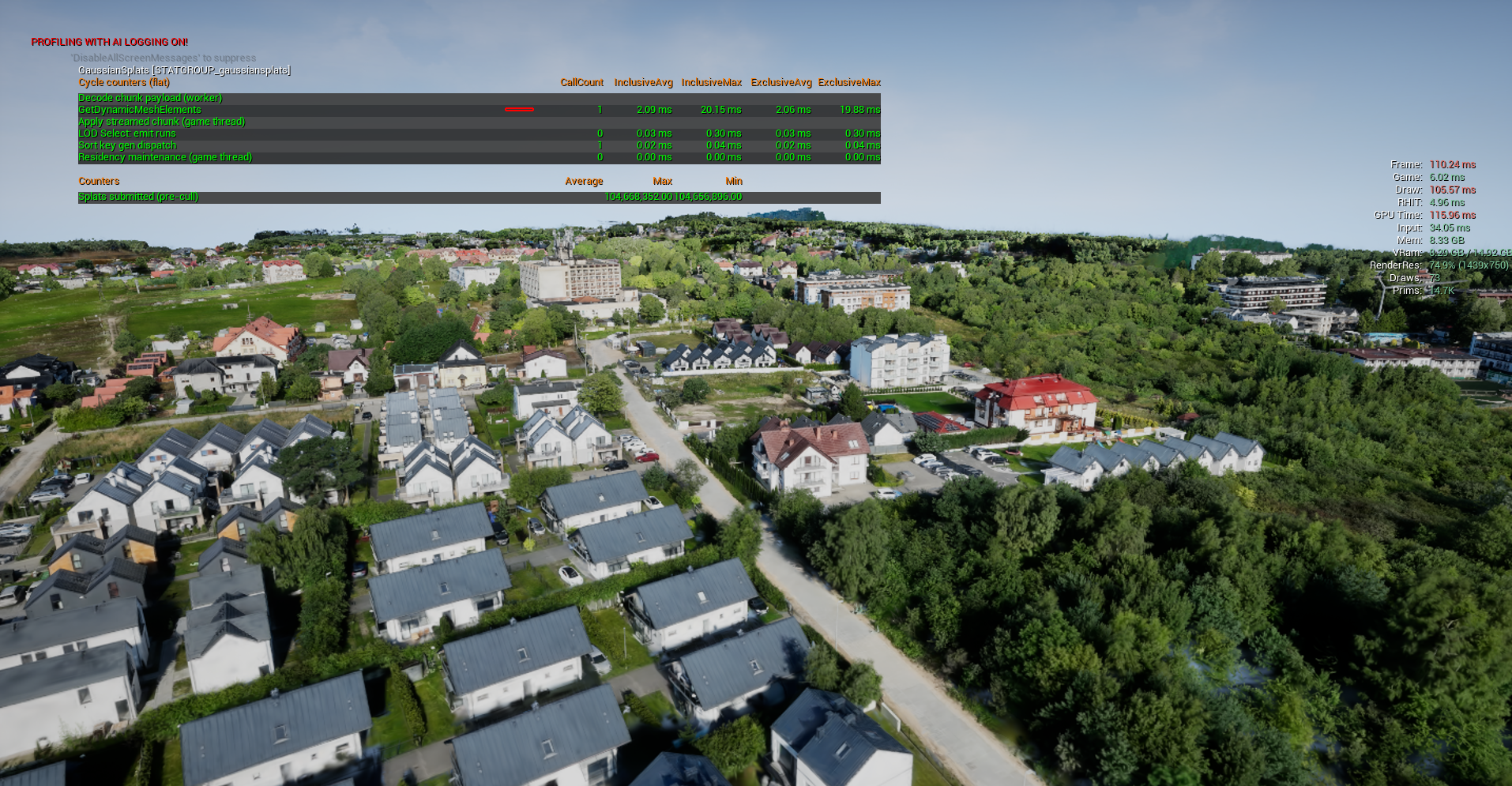
Finally breaking the 67 million cap. Rendering 100 million splats (without LODs). Credit: Poland Jastrzebia Gora, Andrii Shramko
The other thing that needed addressing was what to do when splats are genuinely too large to fit in a single texture. What happens when we first encounter a 300 million splat asset (which at this rate will happen on Tuesday)? And the answer, as always in memory-constrained scenarios, is to manage a budget: you don't try to keep the whole scene resident, you keep a working set.
You size the pool to a memory ceiling, stream chunks in as regions come into view, and when you run out of room, evict the ones nobody's looking at anymore, using a most-distant-first heuristic.
And with that, the scene on disk can be any size at all, because only a bounded slice is ever in memory. Finally, I think the renderer has earned the word ‘unlimited’. Maybe. My confidence is still dented.
All together now
So here's the broad strokes of the whole thing, from a file on a server to blobs on your screen:
Load & decode: On worker threads, pull chunks from disk or over HTTP, decompress and unpack them into GPU-ready form, inform the game & render threads when done.
Residency & streaming: Upload chunks into a fixed texture pool, hand out its rows to whoever needs them, stream in on demand coarse-first, and evict under a memory budget so any-size scene fits.
LOD selection: Per view, per frame, pick one level per region based on the SSE metric, show the best you've got while the ideal downloads.
Sort & cull: A compute shader keys every visible splat by camera distance and throws away the off-screen ones; Unreal's radix sort orders them back-to-front so the transparency composites correctly.
And Draw: A vertex factory conjures a camera-facing quad per surviving splat with no geometry in memory; the material gets the per-splat data and shades it accordingly.
The nicest structural outcome is that a plain old single-file splat scene (no LODs, no streaming) fell out of this as the degenerate case: one chunk, which is always resident, and so LOD selection just short-circuits. Everything follows the same code path – great from a maintenance/complexity point of view.
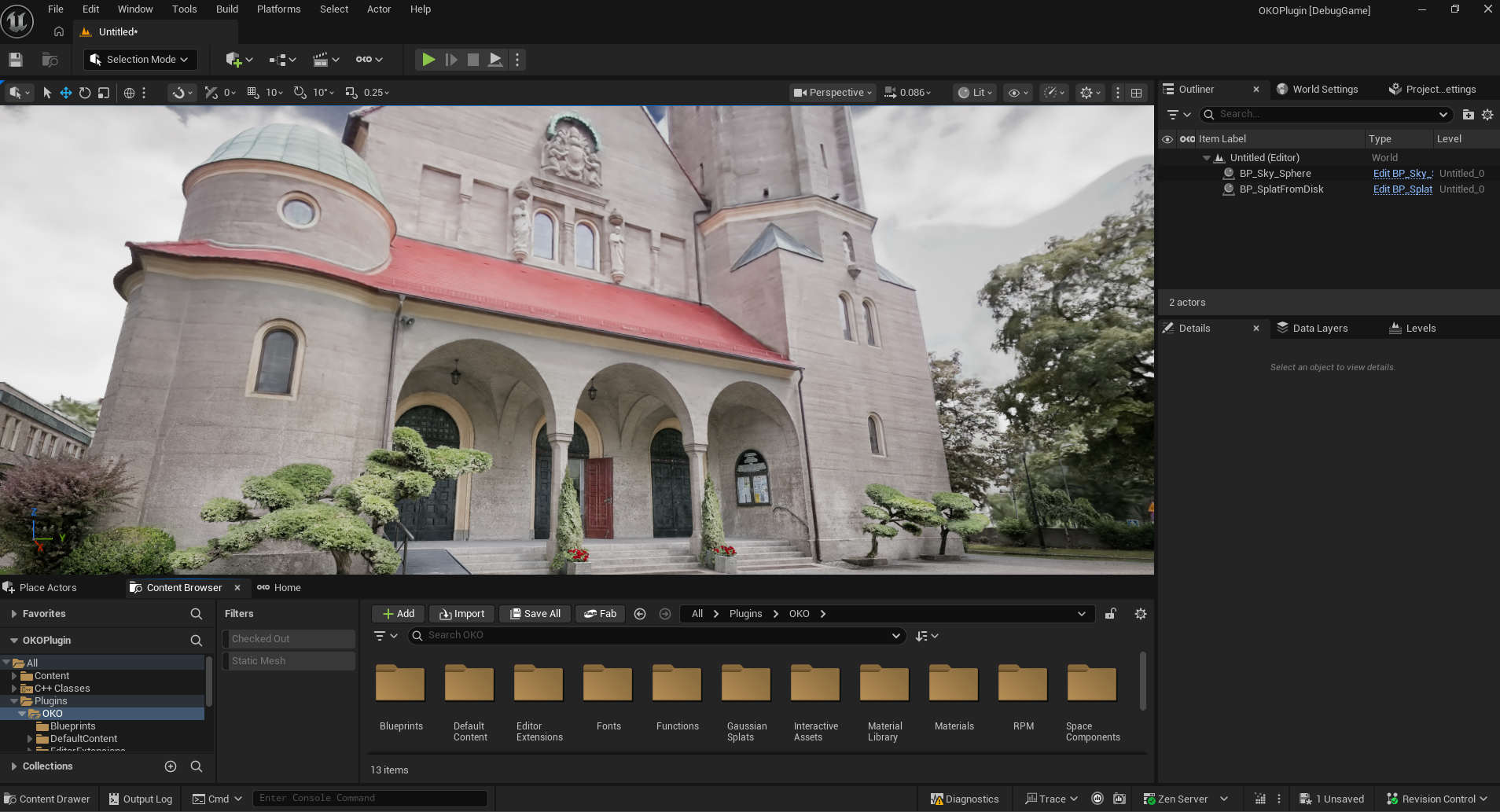
A streamed SOG asset dynamically retrieving LOD levels over http. Credit: Church of Saints Peter and Paul, PlayCanvas.
Until next time?
Is it actually unlimited? Near enough, I guess.
At the very least it’s resilient to far larger splat counts than ever before. The scene on disk can be larger than the GPU, larger than the machine, even, when pulling data in via HTTP, and it’ll still render and stay inside a user-specified memory budget.
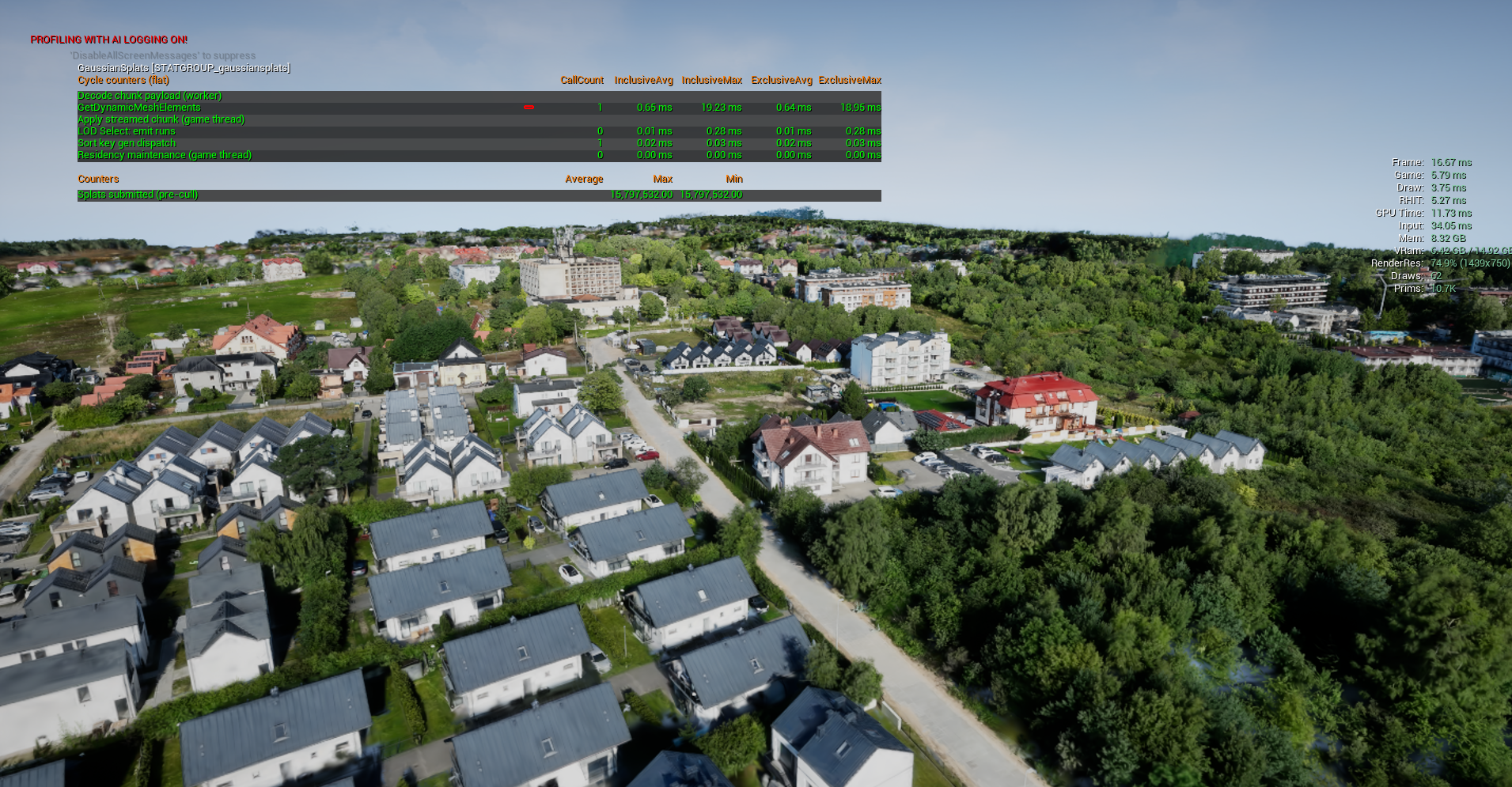
Rendering 100 million splats with LODS. Credit: Poland Jastrzebia Gora, Andrii Shramko
That initial 30 million splat that ruined my afternoon a few months ago now opens in a couple of seconds, and it even sharpens over time.
There's plenty left on the horizon, as ever. The LOD selection policy is pretty slow to execute. The eviction policy is super-simple, and it’d be nice to make it smarter. Concentrating the memory budget on what's actually in frame rather than spread over the whole scene (some kind of hierarchical cull over the spatial tree defined in the SOG metas perhaps?) Overdraw is definitely the major limiter in terms of rendering performance. I’m hoping a stroke of genius will strike sometime about how to bring that down.
And I still haven't got to touch 4DGS – I severely hope my next one of these will be a recap of adventures in there.
But, if you're building with splats, we’ve now implemented streamed SOG support for both OKO Unreal and OKO Web. Feel free to come and have a poke at them. Break them, tell us which enormous capture makes it fall over, and let us know what you think.
Until next time! ✌️
Explore the full Gaussian splat series:
Part 1: How we wrote a GPU-based Gaussian Splats viewer in Unreal with Niagara
Part 2: How I ended up rendering unlimited Gaussian splats in Unreal
Part 3: This article 🙂
