
Bridging AI and Unreal Engine: Introducing the OKO MCP tools plugin
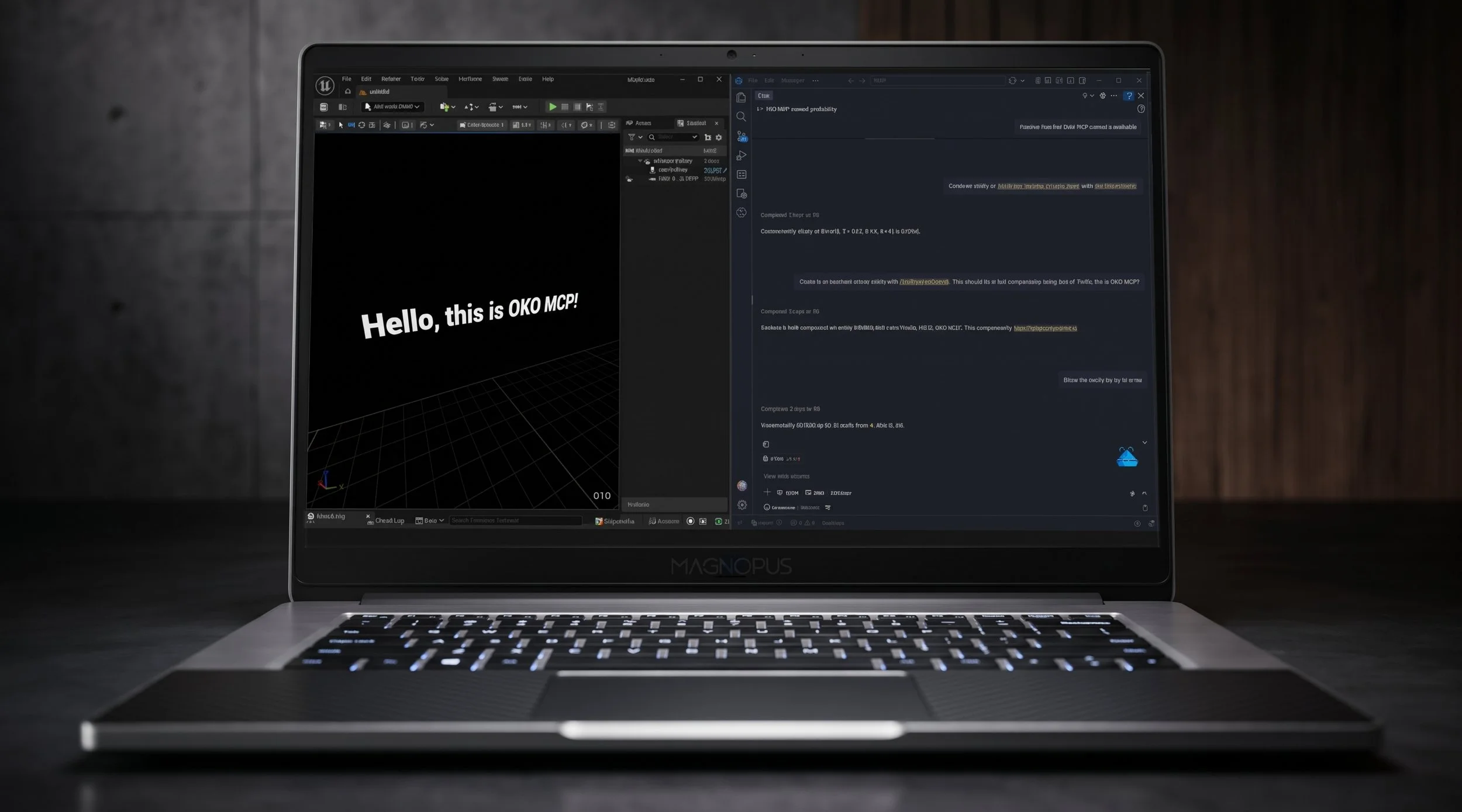
Connecting AI assistants directly to real-time 3D engines sounds great on paper, but turning prompt-based workflows into reliable spatial content management is a different story.
In a previous blog post, our web team explored the fundamentals of the Model Context Protocol (MCP) – an open standard created by Anthropic that allows Large Language Models (LLMs) to communicate directly with external software through structured tool calls. While that prototype showcased the web-side possibilities for OKO, we wanted to bring these capabilities directly into the Unreal Engine Editor.
With the official release of our OKO Unreal Plugin MCP Tools, AI assistants can now execute OKO space management, entity creation, component manipulation, and asset uploads directly inside Unreal Engine.
What is MCP and why does it matter?
For a long time, AI assistants like ChatGPT, Claude, or Copilot were restricted to text-only conversations. They could tell you how to perform a task inside software, but you still had to manually execute every click, hotkey, or Blueprint setup yourself.
MCP bridges that gap. Instead of asking ChatGPT how to perform an action and manually clicking through menus yourself, an in-engine MCP server hands the AI a live list of actionable tools. The AI goes from advising to actually executing commands inside your active viewport.
As MCP becomes a standard across developer tools and creative applications, it opens up opportunities for AI to act as an active co-pilot in 3D scene assembly, worldbuilding, and spatial asset management.
Evaluating Unreal Engine 5.8’s MCP server
When Epic Games introduced experimental MCP server support in Unreal Engine 5.8, we were eager to evaluate it. While our Director of Art, Ian Palmer, explored how native MCP handles procedural material creation, we wanted to understand how useful the out-of-the-box MCP tools were for real-world production tasks and see where the technology excelled and where it struggled.
The evaluation findings
We ran a series of hands-on tests ranging from simple geometry generation to modular room assembly and Blueprint logic setup. Here’s what we discovered:
1. Setup and tool execution
Connecting an AI client (such as Copilot in VS Code or Gemini CLI) to the Unreal MCP server was impressively quick and straightforward. The AI was able to register Unreal's editor_toolset tools and spawn standard actors, such as static meshes and point lights, at precise coordinates.
2. Modular environment assembly
We asked the AI to build structured rooms using modular sci-fi assets. While the AI successfully identified candidate meshes and spawned floors, walls, and lighting, it struggled with spatial context that would be obvious to a human artist:
It initially placed wall segments around a single center tile rather than along the room perimeter.
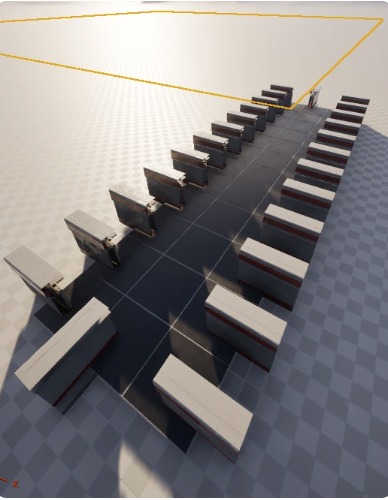
Correct wall positions, wrong orientation. Corners not included.
It routinely placed chairs facing away from desks and clipped tables halfway into walls. Without visual feedback, the AI has no intuitive sense of upside-down or backwards – it’s working off coordinate math.
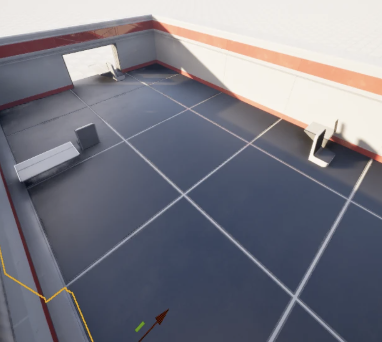
Tables do not flush against the wall. Chairs not facing tables.
It had a lot of trouble placing lights. How would the AI know what was a ceiling light and what was a desk light if they weren’t named appropriately?
3. Blueprint logic & UI workflows
When we pushed the AI to implement game logic (such as a third-person trigger mechanic or HUD scoring), it hit significant limitations. The AI attempted to write Blueprint Domain Specific Language (DSL) graphs, but often struggled with node syntax errors, UMG designer limitations, or getting stuck in long thinking loops. In many cases, asking the AI for step-by-step human instructions was faster than letting the AI attempt to build the Blueprints automatically. We reached our destination eventually, but there was often human hand-holding along the way.
Key takeaways from Unreal Engine MCP
Epic’s initial MCP implementation provides a fantastic foundation. However, because general LLMs lack visual viewport awareness and intuitive spatial reasoning, asking an AI to perform complex scene placement from scratch requires detailed prompting and constant feedback.
To be clear, this wasn’t an issue with Unreal’s MCP tools; it’s a fundamental limitation of language models trying to navigate 3D space without spatial intuition. I was using a basic AI model; I’ve no doubt that using a more advanced model would have produced better results.
Introducing OKO MCP tools for Unreal Engine
The Unreal MCP evaluation directly inspired the design of our custom MCP toolset for OKO.
Rather than relying purely on generic Editor actor manipulation, we created the OKO MCP Tools Plugin as an optional companion plugin specifically tailored for OKO spatial workflows inside Unreal Engine.
Designed for higher-level intent
While spatial reasoning remains a challenge for LLMs, pipeline reliability is something we can fix today. One of our biggest learnings from evaluating UE MCP was that low-level, multi-step actions – like separately creating an entity, attaching a component, creating an asset record, and binding a URL– created far too many failure points for an AI.
To solve this, our tools provide:
High-level composite placement shortcuts: Creates an OKO entity, attaches the required component, uploads the local project file, and links the asset collection in a single atomic workflow.
Preflight environment validation: Verifies that the user is logged into OKO, an active world exists, and space preconditions are met before running complex prompt sequences.
Asynchronous polling: Handles cloud-backed operations safely by returning operation IDs that the AI can poll until completion.
Using an AI prompt to text the MCP tools.
Summary findings & the road ahead
AI assistants now possess a rich, functional toolbox inside real-time 3D engines. However, tools alone are only half the equation.
As our testing demonstrated, today’s LLMs still lack basic human contextual intuition. An AI does not naturally "know" how furniture should be arranged comfortably, how lights should be placed relative to ceiling heights, or how spatial boundaries feel to a human player. For pure manual layout work, an experienced artist can often transform or duplicate objects in the editor faster than prompting an AI assistant.
Where MCP truly shines – and where it can become a massive productivity multiplier – is in automating repetitive spatial setup, managing large-scale asset assignments, and executing complex multi-step cloud operations without leaving the viewport.
As third-party extensions like VibeUE broaden the Unreal Engine's tool coverage, and vision-capable AI models improve their 3D spatial reasoning, MCP toolsets like OKO MCP Tools will form the backbone of how creators build, inspect, and populate real-time virtual spaces.
The OKO MCP Tools Plugin is available now for Unreal Engine 5.8 and Unreal OKO 6.3.0.